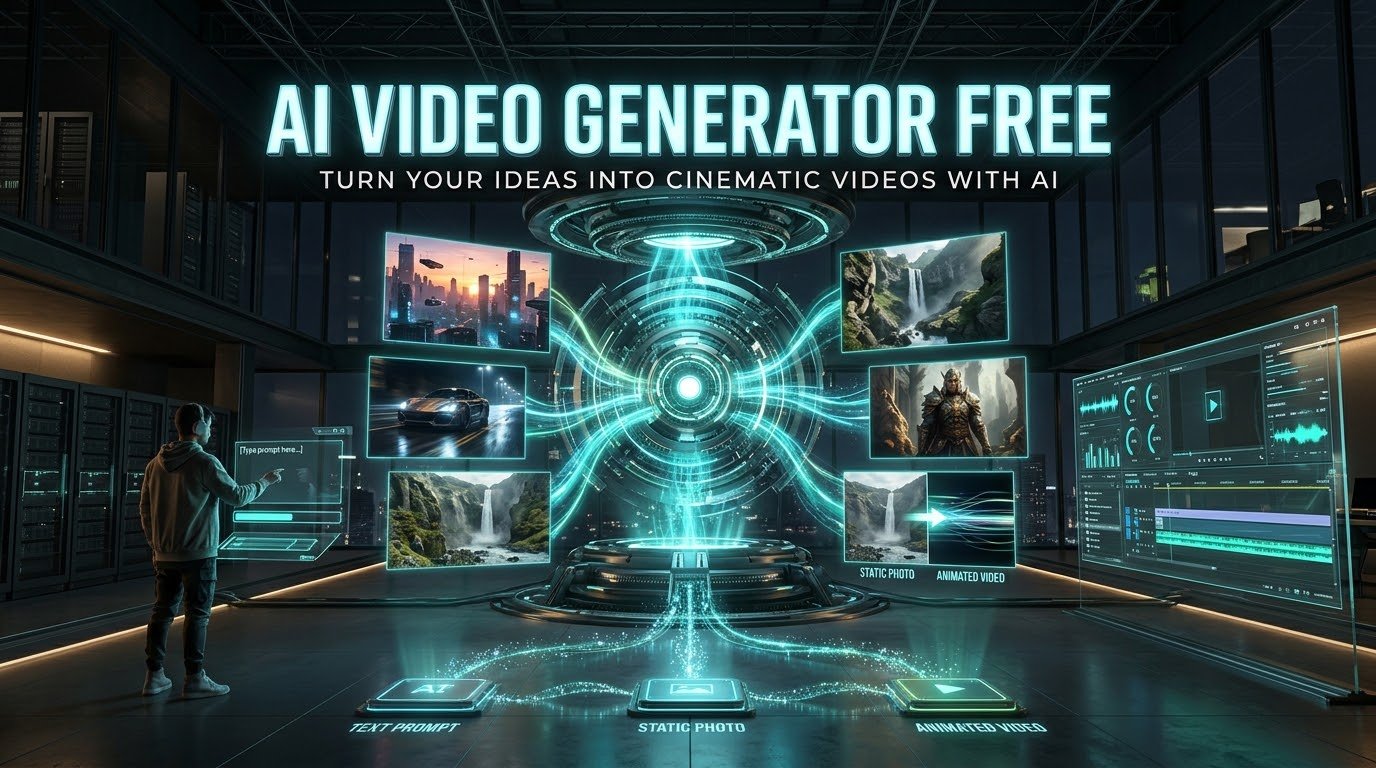
An AI video generator free tool allows users to create video clips from text prompts, images, or visual references without purchasing a subscription. Platforms such as Google Flow, Dreamina, Adobe Firefly, and Runway offer different levels of free access, but credits, export options, and commercial rights vary.
At a Glance: Free AI Video Generators
- Google Flow: Offers 50 daily credits without a paid subscription, subject to availability and usage restrictions.
- Dreamina: Provides daily free credits to eligible accounts, with regional differences.
- Adobe Firefly: Offers limited complimentary video generations for eligible free users.
- Runway: Provides 125 one-time credits for exploring selected generative tools.
- Pika: Offers watermark-free exports but no monthly generation credits on its current Free plan.
- Important consideration: Free generation does not automatically provide unlimited downloads or commercial licensing.
What Is an AI Video Generator Free Tool?
An AI video generator is software that uses artificial intelligence to create moving visuals from written descriptions, images, or existing video content.
Instead of recording every scene with a camera, users describe what they want to see. The AI model interprets those instructions and generates a video.
For example, imagine entering this prompt:
“Create a cinematic aerial view of a futuristic city at sunset. Show glass skyscrapers, flying vehicles, illuminated streets, and realistic atmospheric lighting.”
A text-to-video model processes the description and generates a corresponding video clip.
A free AI video generator provides access to some of these capabilities without requiring an initial subscription. However, free access does not always mean unlimited generation.
Platforms use different free-access models:
- Daily credits: A limited allowance refreshes every day.
- Monthly credits: Users receive a new allowance each month.
- One-time credits: Users receive a fixed number of credits that do not renew.
- Complimentary generations: Platforms provide a limited number of free video attempts.
- Open-source models: Users can run compatible models on their own hardware.
Understanding these differences helps you choose a platform that matches your actual requirements.
Best Free AI Video Generators in 2026
The following platforms offer different ways to explore AI-powered video creation. Some provide recurring free credits, while others offer limited trials or restricted generation access.
1. Google Flow
Best for: Recurring free AI video generation
Google Flow is an AI filmmaking platform designed to create cinematic clips, scenes, and visual stories.
It uses Google’s generative models and provides tools for developing visual concepts from text and image references.
Its workflow includes several creative capabilities:
- Text-to-video generation.
- Frames-to-video creation.
- Reference-based video generation.
- Video extension.
- Video-to-video editing.
- Scene building.
Free access: Google currently provides 50 Flow credits per day to users without a Google AI subscription.
However, the number of videos you can generate depends on the selected model and its credit requirements. Non-subscribers may also experience video-generation restrictions during peak hours.
Google’s supported regions and account eligibility requirements apply.
Why consider it?
The daily credit allowance makes Google Flow useful for recurring experiments. You can explore video concepts without purchasing a subscription first.
Main limitation: Daily credits do not guarantee unlimited generation. Some advanced creation features require a paid subscription.
Official website: https://labs.google/fx/tools/flow
2. Dreamina
Best for: Text-to-video and image-to-video experiments
Dreamina is an AI creative platform that supports image and video generation.
It allows users to develop visual ideas from written prompts and animate existing images using supported video models.
Its main capabilities include:
- Text-to-video generation.
- Image-to-video animation.
- Reference-based creation.
- AI image generation.
- Creative visual development.
Free access: Dreamina advertises 120 daily credits for eligible free accounts in the United States. Availability and credit allowances can differ by region.
The number of videos you can create depends on the selected model, resolution, duration, and generation settings.
Why consider it?
Dreamina is useful when you want to experiment with both original video scenes and existing images.
For example, you can create a product image and then animate it into a short promotional clip.
Main limitation: Daily credits are shared across supported creative workflows. A larger credit balance does not guarantee a fixed number of finished videos.
Official website: https://dreamina.capcut.com/
3. Adobe Firefly
Best for: Professional creative workflows
Adobe Firefly combines generative AI with Adobe’s creative ecosystem.
Its video tools support text-to-video and image-to-video workflows. Users can generate footage for marketing concepts, creative projects, and visual storytelling.
Important capabilities include:
- Text-to-video generation.
- Image-to-video generation.
- AI-assisted video editing.
- Visual reference controls.
- Integration with Adobe creative workflows.
Free access: Adobe currently offers limited complimentary video generations for eligible users. Its help documentation describes two complimentary video generations for certain plans without premium generative access.
This is a limited allowance, not unlimited free video production.
Why consider it?
Firefly is particularly relevant to designers, marketers, and creators who already work with Adobe applications.
Another important consideration is licensing. Adobe states that outputs generated using its own Firefly Video Model are designed for commercial use. However, partner models can have different terms.
Main limitation: Video generation consumes substantial generative credits, and additional production requires an eligible plan or credits.
Official website: https://firefly.adobe.com/
4. Runway
Best for: Exploring professional AI video workflows
Runway is a creative platform that combines AI video generation with other generative and editing tools.
It is useful for creators who want to experiment with cinematic scenes and advanced visual production workflows.
Its capabilities vary by model and subscription.
Common creative applications include:
- Text-to-video experiments.
- Image-based video generation.
- Creative visual effects.
- AI-assisted editing.
- Short cinematic sequences.
Free access: Runway’s current Free plan includes 125 one-time credits and 5GB of asset storage.
These credits do not expire, but they also do not renew after being spent.
The available generative models and features are restricted on the Free plan.
Why consider it?
Runway provides an opportunity to explore an established generative video workspace before purchasing a subscription.
Main limitation: The free credit allocation is a one-time introduction rather than a recurring monthly allowance.
Official website: https://runway.com/
5. Pika
Best for: Creative video effects and transformations
Pika focuses on generative video creation and creative visual effects.
Its platform provides different applications for transforming images and videos into new visual content.
Creative possibilities include:
- Image animation.
- Video transformations.
- Stylized visual effects.
- Experimental scenes.
- Short-form creative content.
Free access: Pika’s current Free plan provides zero monthly generation credits. Users can purchase credit packs without subscribing.
One useful feature is that current Pika plans, including Free, provide watermark-free downloads.
However, the Free plan does not include a commercial license. Purchasing a credit pack does not automatically provide commercial rights.
Why consider it?
Pika may suit creators who want to explore its interface and visual effects before choosing a paid plan.
Main limitation: It is not a recurring free-generation option because the Free plan includes no monthly credits.
Official website: https://pika.art/
6. CapCut
Best for: Editing and finishing AI-assisted videos
CapCut is primarily a video editing platform with additional AI-powered creative features.
It helps creators turn generated clips and existing footage into finished social media videos.
Useful capabilities include:
- Video trimming.
- Automatic captions.
- Background removal.
- Text and visual effects.
- Audio editing.
- Templates and transitions.
- Selected AI-assisted workflows.
Free access: CapCut offers free editing features, although certain AI tools and premium options may require payment.
Why consider it?
A video generator creates the initial footage, but an editing application helps turn that footage into a complete video.
For example, you can generate a cinematic clip in Google Flow and then use CapCut to add captions, music, and transitions.
Main limitation: Free editing access should not be confused with unlimited access to generative text-to-video models.
Official website: https://www.capcut.com/
Free AI Video Generator Comparison
Choosing a platform becomes easier when you compare its free-access model rather than simply looking at its advertised features.
| Platform | Main purpose | Free-access model | Main limitation |
|---|---|---|---|
| Google Flow | Cinematic video generation | 50 daily credits | Model and peak-hour restrictions |
| Dreamina | Text and image to video | Daily credits for eligible regions | Regional and model-based limits |
| Adobe Firefly | Professional creative generation | Limited complimentary generations | Premium credit requirements |
| Runway | Generative video workflows | 125 one-time credits | No credit renewal |
| Pika | Creative effects and transformations | Zero monthly credits | Credit packs needed for generation |
| CapCut | Video editing | Free editing features | Some AI tools are paid |
Plan details checked on November 28, 2026. Allowances and eligibility may change. Check the provider’s current pricing and account pages before generating content.
How Does AI Video Generation Work?
AI video generation uses machine learning models to understand visual information and produce moving images.
The exact technology varies between platforms. However, most consumer workflows follow a similar process.
1. Enter a Text Prompt
Start by describing the video you want to create.
Include the main subject, location, action, camera movement, and visual style.
For example, you could describe a luxury car moving through a futuristic city at night.
The more clearly you describe the scene, the easier it is for the model to understand your intended result.
2. Upload an Image
Some platforms support image-to-video generation.
You can upload a photograph, illustration, or product image and instruct the model to animate it.
This approach is useful when you already have a specific visual reference.
3. Select Generation Settings
Depending on the platform, you may be able to select:
- Video aspect ratio.
- Resolution.
- Duration.
- Visual style.
- Camera movement.
- Generation model.
These settings can affect both output quality and credit consumption.
4. Generate the Video
The AI model processes the input and generates a sequence of frames.
These frames form the final video clip.
Processing time depends on the model, video settings, server availability, and account restrictions.
5. Review and Export
Watch the complete video before downloading it.
Check for visual distortions, inconsistent movement, incorrect objects, and unexpected changes.
If the result does not match your expectations, refine the prompt or try another generation.
Text-to-Video vs. Image-to-Video
Both methods create AI-generated videos, but they solve different problems.
Text-to-Video
Text-to-video generates a scene from a written description.
It is useful when you want the AI to create the visual environment from scratch.
Example: Generate a cinematic aerial shot of a tropical island with moving clouds, ocean waves, and golden sunlight.
Image-to-Video
Image-to-video animates an existing image.
It is useful when you want to preserve a particular product, character, illustration, or environment.
Example: Upload a photograph of a luxury watch and animate the camera movement around it.
Which Method Should You Choose?
Choose text-to-video for original scenes and creative concepts.
Choose image-to-video when you already have a visual reference that should guide the output.
For professional work, test both methods before selecting your final workflow.
What Can You Create With a Free AI Video Generator?
AI video creation supports several practical applications.
Social Media Videos
Creators can generate short clips for Instagram Reels, TikTok, and YouTube Shorts.
Examples include cinematic backgrounds, animated illustrations, visual hooks, and promotional footage.
Use a vertical 9:16 format when creating content primarily for mobile viewing.
YouTube Content
YouTubers can use AI-generated footage to support educational videos, product reviews, storytelling, and explainers.
It can provide visual material when recording original footage is difficult.
However, generated clips should support the video’s message rather than replace meaningful content.
Marketing and Advertising
Businesses can experiment with promotional concepts and product visualizations.
A company might create a short animated product scene before investing in a larger production.
Check commercial licensing before using the output in advertisements or client projects.
Educational Content
Teachers and students can turn abstract ideas into visual explanations.
AI-generated scenes can illustrate historical settings, scientific concepts, and fictional environments.
These visuals can make presentations and educational videos more engaging.
Creative Storytelling
Independent creators can use AI video tools to experiment with fictional scenes and cinematic concepts.
They can create visual drafts, test different environments, and develop storyboards.
Character consistency across multiple scenes remains an important challenge.
How to Choose the Best Free AI Video Generator
A good platform should match your production requirements, not just offer an attractive free account.
Consider these factors before choosing.
1. Understand the Credit System
First, determine whether the platform provides daily, monthly, or one-time credits.
This distinction matters when planning regular video production.
A recurring daily allowance is different from a trial balance that disappears after use.
2. Check Video Resolution
Resolution affects how clearly the final footage appears.
Common video formats include:
- 480p for basic previews.
- 720p for HD drafts.
- 1080p for standard HD publishing.
- 4K for high-resolution production.
Do not assume that a model’s maximum advertised resolution is available on its free plan.
3. Review Watermark Restrictions
A watermark is visible branding placed on a generated video.
Some platforms provide clean exports, while others restrict watermark removal to paid plans.
Check the actual download conditions before starting a project.
4. Check Commercial Licensing
This is especially important for marketers and businesses.
A free account does not automatically provide commercial rights.
Review the provider’s terms for advertisements, client work, monetized content, and uploaded assets.
Also check whether the selected model belongs to the platform or a third-party provider.
5. Test Visual Consistency
AI models can change visual details between frames.
For example, a character’s face, clothing, or body proportions may change during a scene.
Product images can also develop unexpected details.
Generate a few test clips and review them carefully.
6. Evaluate Processing and Export Options
Check how long generation takes and whether your account has queue restrictions.
Also verify the supported file formats, download options, and video duration.
A visually impressive preview is not useful if the platform cannot export it in the format your project requires.
Are Free AI Video Generators Really Free?
Yes, but free access comes with different conditions.
Most hosted AI video platforms use a freemium business model. They provide limited access and charge for additional generation capacity or advanced features.
There are several important restrictions to understand.
Credit Consumption
Each generation can consume a different number of credits.
Longer videos, higher resolutions, and advanced models may require more credits.
A large credit balance does not necessarily mean you can create many finished videos.
Failed Generations
Not every attempt produces usable footage.
You may need several generations to achieve the desired movement or composition.
Check whether the platform refunds credits for failed or interrupted generations.
Export Restrictions
Some services limit downloads, resolution, or other export features.
Always test the complete workflow before relying on a platform for regular production.
Commercial Licensing
Free access and commercial permission are separate issues.
A video may be downloadable without a watermark but still lack commercial-use permission.
Read the relevant licensing terms before publishing business content.
Privacy and Security Considerations
AI video generators may process uploaded photographs, written prompts, and other creative assets through online services.
Before uploading sensitive material, review the provider’s privacy policy.
Pay attention to:
- How uploaded content is stored.
- Whether content can be used to improve AI models.
- Whether third-party models process your inputs.
- How long generated files remain available.
- How account deletion affects stored content.
Pika, for example, states that uploaded content and creations may be used to operate and improve its services. Third-party model providers may have separate data practices.
Avoid uploading confidential customer information, private business footage, or sensitive photographs without understanding the applicable terms.
Common Mistakes When Using AI Video Generators
Beginners often waste credits because they do not understand the limitations of generative video.
Avoid these mistakes to improve your workflow.
Writing Vague Prompts
A prompt such as “Create a beautiful video” does not provide enough direction.
Describe the subject, environment, action, camera movement, and lighting.
Making Every Scene Too Complicated
A single short clip may struggle to represent several unrelated actions.
Focus on one main action per generation.
Create separate clips when your story requires multiple scenes.
Ignoring Aspect Ratios
Choose the correct format before generating footage.
- 16:9 for standard YouTube videos.
- 9:16 for Shorts, Reels, and TikTok.
- 1:1 for square social media content.
Expecting Perfect Character Consistency
AI-generated characters may change appearance between generations.
Use reference images and consistency features when available.
Review every scene before combining multiple clips.
Ignoring Licensing
Never assume that downloading a free video grants commercial permission.
Check the terms for your selected model and subscription.
Frequently Asked Questions
1. What is the best free AI video generator in 2026?
The right option depends on your requirements. Google Flow offers 50 daily credits, Dreamina provides daily credits to eligible accounts, and Adobe Firefly offers limited complimentary generations. Runway is another option for testing AI video tools with one-time credits.
2. Can I generate AI videos from text for free?
Yes. Google Flow and Dreamina offer text-to-video capabilities with limited free access. The number of generations depends on available credits, selected models, regional eligibility, and video settings.
3. Which free AI video generator does not add a watermark?
Pika currently provides watermark-free downloads on its Free plan. However, the plan has no monthly generation credits and does not include commercial rights. Other platforms have different export conditions.
4. Can I use free AI-generated videos on YouTube?
You can use AI-generated footage in YouTube videos if you comply with the generator’s licensing terms and YouTube’s applicable policies. Review commercial permissions and disclosure requirements when realistic synthetic content could mislead viewers.
5. Is there an unlimited free AI video generator?
Most hosted AI video generators impose credit or usage limits. Open-source models can provide more control when run locally, but they require compatible hardware, storage, and technical setup. Therefore, unlimited generation is not necessarily cost-free.
Conclusion
A free AI video generator makes it easier to turn creative ideas into moving visuals without immediately purchasing expensive software.
Google Flow and Dreamina provide recurring free-credit opportunities for eligible users. Adobe Firefly offers limited complimentary generation, while Runway provides a one-time credit allocation. Pika offers watermark-free exports but requires purchased credits for generation.
The right choice depends on your video requirements, generation allowance, export quality, and licensing needs.
Start with a small project, test the complete generation process, and review the terms before publishing.
Free tools are useful for learning and experimentation. For professional production, predictable credits, commercial rights, and consistent visual quality matter just as much as the initial price.

Alex Carter is a technology writer at AI SpaceZ.com, who covers AI tools, software reviews, practical tutorials and emerging artificial intelligence trends. He aims to make AI easier to understand and help readers discover useful tools and technologies for everyday productivity.