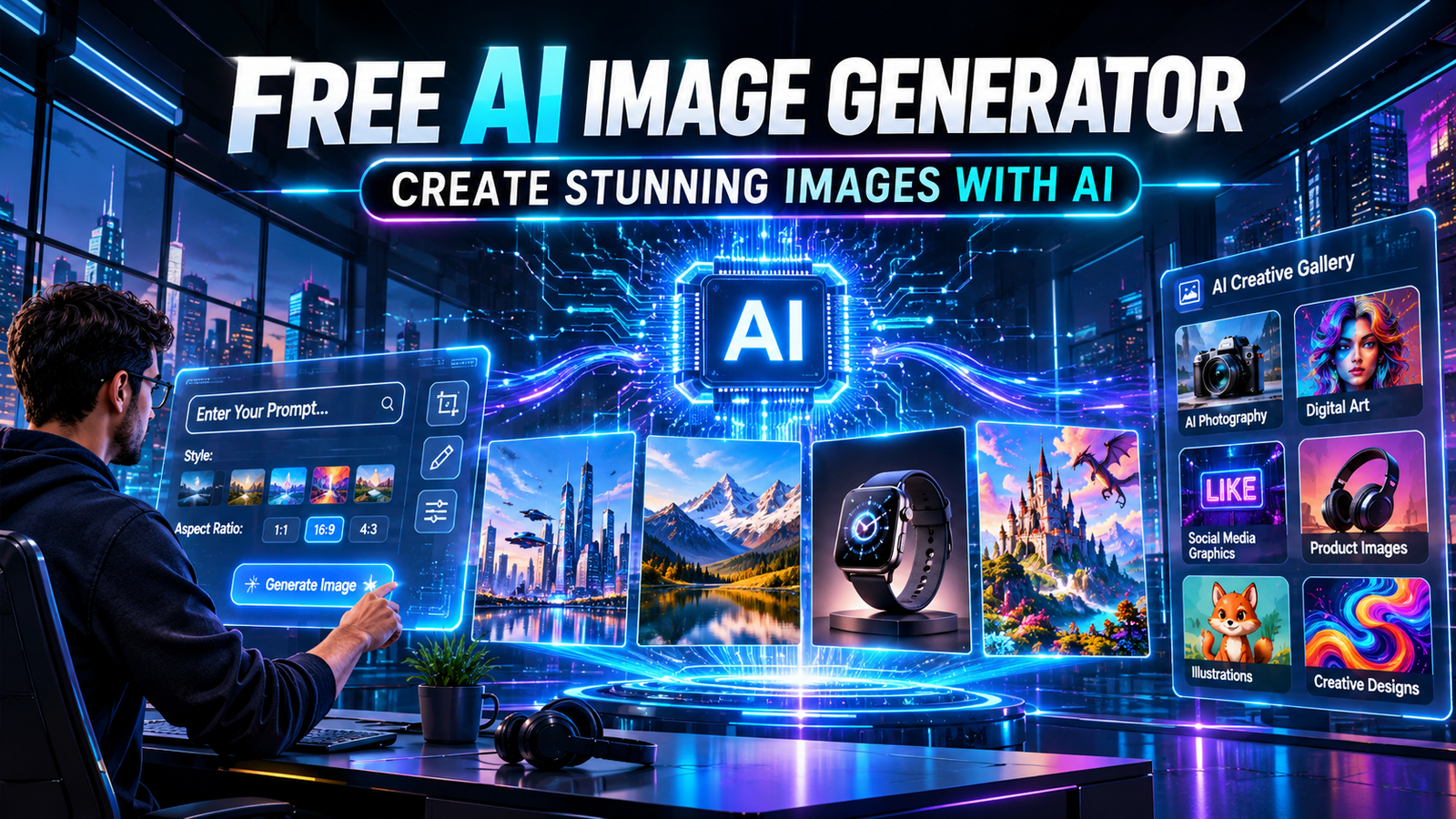
A free AI image generator is an online tool that uses artificial intelligence to create images from text prompts or reference pictures without requiring an upfront payment. Popular options include Google Gemini, ChatGPT, Microsoft Designer, Adobe Firefly, Ideogram, and Leonardo AI, each offering different free allowances and creative features.
Whether you need a blog thumbnail, social media graphic, marketing visual, or digital artwork, these tools can help. However, free plans differ in image quality, generation limits, privacy, and commercial usage rights.
This guide compares popular options, explains their limitations, and shows you how to create better images without paying for a subscription.
Free AI Image Generators at a Glance
Before choosing a platform, understand what each tool offers.
- Google Gemini: Conversational image generation and editing with standard free usage limits.
- ChatGPT: Natural-language image creation and detailed conversational editing.
- Microsoft Designer: AI image creation combined with graphic design features.
- Adobe Firefly: Generative image tools within Adobe’s creative ecosystem.
- Ideogram: Specialized image generation for posters and text-based designs.
- Leonardo AI: Creative image generation with a daily token allowance.
- Stable Diffusion: Locally hosted image generation for users who want more technical control.
Important: These services do not offer unlimited free cloud generation. Their allowances, features, and restrictions can change.
What Is a Free AI Image Generator?
A free AI image generator is a software tool that transforms written descriptions into visual content using generative artificial intelligence.
You describe a subject, setting, visual style, and other details. The AI model interprets those instructions and produces an image.
For example, you could enter:
“Create a cinematic photograph of a futuristic city at night, featuring illuminated skyscrapers, flying electric vehicles, realistic reflections, and dramatic blue lighting.”
The generator turns that description into a visual composition.
Some platforms also support image-to-image generation. This allows you to upload an existing picture and request modifications.
How Does AI Image Generation Work?
Most modern image generators rely on machine learning models trained to recognize relationships between visual information and language.
Diffusion models are one common technology used for image generation. They learn to transform random visual noise into recognizable images.
The process generally involves five stages:
- Prompt submission: You describe the image you want.
- Prompt interpretation: The system identifies subjects, objects, styles, and visual relationships.
- Image generation: The model creates an image based on its learned patterns.
- Image refinement: Additional processing improves the visual output.
- Final result: You can review, download, or edit the generated image.
Not every generator uses the same architecture. Some rely on proprietary models, while others provide access to open-weight models.
7 Best Free AI Image Generators in 2026
The best platform depends on what you want to create. Some tools prioritize convenience, while others offer specialized design controls or greater creative flexibility.
Here are seven platforms worth exploring.
1. Google Gemini
Best for: Everyday image generation and conversational editing.
Google Gemini provides image-generation capabilities through its conversational AI interface.
You can describe a scene, generate an image, and request changes using additional instructions. This makes the process accessible to people without design experience.
Main features:
- Generate images from text prompts.
- Edit existing images through natural-language instructions.
- Experiment with different visual styles.
- Refine compositions through follow-up requests.
- Combine image creation with other AI assistance.
Free access: Users without a Google AI subscription receive standard usage limits. Google does not guarantee a permanent fixed image allowance for every free account.
Usage can depend on the selected model, feature, demand, and account conditions. Gemini displays notifications when a user approaches or reaches an applicable limit.
Limitation: Access to more advanced models and certain features may require a paid Google AI plan.
Official website: https://gemini.google.com/
2. ChatGPT
Best for: Beginners, bloggers, and users who prefer conversational image creation.
ChatGPT includes image generation within its conversational interface.
You can describe an image, review the result, and request adjustments without manually changing complicated settings.
This is particularly useful when developing a visual concept through several iterations.
Main features:
- Text-to-image generation.
- Conversational image editing.
- Creative illustrations and visual concepts.
- Image refinement through follow-up prompts.
- Integration with general-purpose AI assistance.
Free access: ChatGPT’s Free plan includes image creation with separate usage limits. The exact allowance is not guaranteed and may change.
OpenAI also provides notifications when users reach applicable usage limits.
Limitation: Free users receive lower usage allowances than eligible paid subscribers. Image generation may become temporarily unavailable after reaching a limit.
Official website: https://chatgpt.com/
3. Microsoft Designer
Best for: Social media graphics and everyday visual designs.
Microsoft Designer combines AI-powered image generation with design-oriented features.
It can help users develop promotional graphics, visual concepts, banners, and other creative material.
Main features:
- AI-generated images.
- Design-oriented editing tools.
- Visual content for presentations and announcements.
- Customizable creative layouts.
- Integration with Microsoft’s design ecosystem.
Free access: Microsoft confirms that Designer is free to use. Users who want to create more frequently may need a subscription.
Limitation: Generated text can contain spelling errors or appear in an unintended language. Review important text before publishing.
Official website: https://designer.microsoft.com/
4. Adobe Firefly
Best for: Designers and creators working within Adobe’s creative ecosystem.
Adobe Firefly is a generative AI platform designed for creative content production.
It offers image-generation and editing features that connect with Adobe’s wider design environment.
Main features:
- Generate images from text prompts.
- Experiment with visual styles.
- Refine generated images.
- Explore generative editing workflows.
- Use supported creative features across Adobe products.
Free access: Adobe provides free users with a limited number of daily generations across supported generative AI features. The available models and allowance can change.
Commercial considerations: Adobe describes its Firefly models as designed with commercially oriented training practices. However, users should review the applicable terms and distinguish product-specific permissions from legal guarantees.
Limitation: Free usage is restricted, and some advanced features require additional generative credits or a subscription.
Official website: https://firefly.adobe.com/
5. Ideogram
Best for: Posters, thumbnails, advertisements, and images containing text.
Ideogram is particularly relevant when a generated image needs readable typography.
Many image generators struggle with accurate text placement. Ideogram focuses on combining visual generation with text-based design.
Main features:
- Generate images containing text.
- Create poster concepts.
- Experiment with graphic design styles.
- Develop marketing visuals.
- Produce illustrations and creative artwork.
Free access: Ideogram offers a free plan with limited credits. Its free allowance and generation speed are subject to the current plan conditions.
Limitation: Free generations may take longer, and free creations can have public visibility. Check the current privacy and licensing conditions before using sensitive material.
Official website: https://ideogram.ai/
6. Leonardo AI
Best for: Concept art, digital illustrations, and creative experimentation.
Leonardo AI provides an image-generation environment with several creative tools and model options.
It is useful for developing fictional characters, product concepts, game assets, and stylized artwork.
Main features:
- Text-to-image generation.
- Multiple image-generation models.
- Creative style experimentation.
- Image editing and upscaling options.
- Token-based generation management.
Free access: Leonardo’s official help documentation currently states that free users receive 150 daily tokens. The allowance resets every 24 hours, and unused tokens do not accumulate.
The number of images you can create depends on the selected model and generation settings.
Privacy consideration: Private image generation is a paid feature. Free creations are not protected by the same private-generation controls.
Limitation: Advanced models and certain creative features can consume more tokens.
Official website: https://leonardo.ai/
7. Stable Diffusion
Best for: Advanced users who want local image generation and greater customization.
Stable Diffusion is a family of generative image models that users can run through compatible applications and workflows.
Unlike hosted generators, a local installation can generate images using your computer’s hardware.
Main features:
- Text-to-image generation.
- Image-to-image workflows.
- Custom model selection.
- Advanced generation settings.
- Greater control over local processing.
Applications such as ComfyUI and compatible Diffusers workflows make it possible to build customized image-generation pipelines.
Free access: Some Stable Diffusion models are available under licenses that permit free use. Running them locally does not require paying a per-image cloud generation fee.
However, you need compatible hardware and enough computing resources.
Limitation: Installation, model configuration, and hardware requirements can be challenging for beginners. Commercial permissions also depend on the specific model license.
Official resources: https://stability.ai/
Free AI Image Generator Comparison
Choosing a tool becomes easier when you compare its main purpose, free access, and limitations.
| Tool | Best For | Free Access | Main Limitation |
|---|---|---|---|
| Google Gemini | General image creation | Standard usage limits | Limits can change |
| ChatGPT | Conversational editing | Limited generations | Separate usage cap |
| Microsoft Designer | Graphic design | Free access | More frequent use may require a subscription |
| Adobe Firefly | Creative workflows | Limited daily generations | Credit restrictions |
| Ideogram | Text-based images | Limited free credits | Generation and privacy restrictions |
| Leonardo AI | Digital art | 150 daily tokens | Public free generations |
| Stable Diffusion | Local customization | Available open models | Hardware and setup requirements |
This comparison describes general access rather than guaranteeing a specific number of images. Always check the current platform terms before starting a project.
What Can You Create With a Free AI Image Generator?
AI image generation has applications across blogging, marketing, education, entertainment, and digital design.
1. Blog Featured Images
Bloggers can create custom visuals that communicate an article’s subject.
For example, a technology website can generate a futuristic research laboratory for an article about artificial intelligence.
A consistent visual style can also help establish a recognizable website identity.
2. Social Media Graphics
Content creators can develop visual concepts for Instagram, Facebook, Pinterest, and LinkedIn.
Common examples include:
- Promotional graphics.
- Educational illustrations.
- Inspirational images.
- Campaign visuals.
- Social media backgrounds.
You can also combine generated images with text and branding through a design application.
3. Product Photography Concepts
Businesses can experiment with product presentation ideas before investing in professional photography.
For example, a creator could generate a smartwatch displayed on a polished surface with dramatic studio lighting.
However, AI-generated product images should not misrepresent the actual product. Use accurate photographs when customers need to see real product details.
4. Marketing and Advertising Visuals
Marketers can use AI-generated images to explore campaign concepts and creative directions.
Possible applications include advertising backgrounds, promotional illustrations, landing-page visuals, and presentation graphics.
Review licensing conditions before using these images in commercial campaigns.
5. Educational Illustrations
Teachers and students can create visual explanations for presentations and learning materials.
Examples include historical scene concepts, scientific illustrations, and creative classroom backgrounds.
Technical and scientific images require additional verification because AI can generate inaccurate details.
6. Digital Art and Character Design
Artists can explore fictional characters, fantasy environments, and creative visual styles.
Generators such as Leonardo AI and Stable Diffusion provide workflows that can support these experiments.
Benefits of Using Free AI Image Generators
Free AI image generators offer several advantages for individuals and businesses.
Reduced Creative Costs
Users can experiment with visual concepts without purchasing expensive software immediately.
This is useful for students, new bloggers, freelancers, and small businesses.
Faster Image Creation
AI tools can produce initial visual concepts quickly.
Instead of manually creating every element, users can generate a starting point and refine it through additional prompts.
No Professional Design Experience Required
Most online generators accept natural-language descriptions.
You do not need advanced illustration skills to create an initial concept.
Greater Creative Flexibility
A single subject can be explored through different visual styles.
For example, the same mountain landscape could become a realistic photograph, watercolor painting, fantasy illustration, or cinematic scene.
Convenient Online Access
Browser-based platforms allow users to create images without installing complex local software.
However, internet access and an account may still be required.
Limitations of Free AI Image Generators
Free image generation is useful, but it is important to understand its restrictions.
Generation and Credit Limits
Cloud platforms generally restrict free usage.
Some provide daily tokens, others use weekly credits, and some apply flexible rate limits.
Check when your allowance resets and whether unused credits expire.
Inconsistent Image Quality
A generator may interpret the same prompt differently each time.
Complex scenes can contain distorted objects, inaccurate proportions, or visual inconsistencies.
You may need several attempts to achieve the intended result.
Incorrect Text and Typography
AI-generated text can contain spelling errors or unusual letter arrangements.
For designs requiring exact wording, generate the background first and add typography through a dedicated design application.
Restricted Editing Features
Some free plans limit access to advanced editing, upscaling, reference-image controls, or premium models.
This can affect professional workflows.
Privacy and Public Visibility
Some services make free generations publicly visible.
Others may process uploaded images and prompts according to their own data policies.
Avoid uploading confidential business documents, private photographs, or sensitive reference material unless you understand the applicable privacy terms.
Can You Use Free AI-Generated Images Commercially?
Commercial use is one of the most important considerations for website owners and businesses.
A free image generator does not automatically grant unrestricted commercial rights.
Permission depends on the platform’s terms, the selected model, and the applicable license.
Consider these examples:
Adobe Firefly: Adobe states that users retain rights to images created with Firefly, subject to its terms. Its commercially oriented training approach is not a guarantee against every possible intellectual-property claim.
Leonardo AI: Free users receive daily tokens, but public-generation settings apply. Its terms and licensing conditions should be reviewed before commercial use.
Stable Diffusion: Different models have different licenses. Stability AI’s Community License permits qualifying commercial use under its stated conditions, including a revenue threshold and other restrictions.
FLUX.1 [schnell]: This model is published under Apache 2.0, subject to that license’s conditions.
Before publishing or selling an AI-generated image, check:
- Whether commercial use is permitted.
- Whether attribution is required.
- Whether the platform retains rights to use the output.
- Whether the generation is public or private.
- Whether the image contains protected characters or trademarks.
- Whether the output could mislead customers.
Remember that permission under a platform’s terms and copyright protection under local law are separate questions.
Free Online AI Generators vs. Local AI Models
There are two main ways to generate images without purchasing a conventional image-generation subscription.
Online AI Image Generators
Online tools handle image generation on the provider’s infrastructure.
You enter a prompt, wait for processing, and receive the result.
Advantages:
- Easy setup.
- No powerful graphics card required.
- Convenient interfaces.
- Managed software and model updates.
Disadvantages:
- Free usage restrictions.
- Dependence on the provider.
- Internet connectivity requirements.
- Privacy and data-processing considerations.
Locally Hosted AI Image Models
Advanced users can install compatible open-weight models on their computers.
Tools such as ComfyUI and Diffusers can provide greater control over the generation process.
Advantages:
- More customization.
- No per-image cloud credit requirement.
- Greater control over local processing.
- Flexible model selection.
Disadvantages:
- Compatible hardware is required.
- Initial installation can be complicated.
- Generation uses computing resources.
- Model licensing restrictions still apply.
Local generation is not automatically free in every practical sense. Hardware, electricity, storage, and maintenance can create costs.
How to Write Better Prompts for AI Image Generation
A detailed prompt helps an AI model understand what you want to create.
A vague instruction such as “Create a beautiful futuristic city” leaves many important details undefined.
A more structured description gives the generator clearer visual direction.
Use a Simple Prompt Formula
Try this structure:
Subject + Environment + Composition + Lighting + Visual Style + Details
For example:
“Create a photorealistic futuristic technology headquarters at night. Show a large glass building surrounded by illuminated skyscrapers. Use a cinematic wide-angle composition, dramatic cyan and violet lighting, realistic reflections, detailed architecture, and sophisticated digital displays.”
This describes the subject, environment, composition, lighting, and overall appearance.
Choose the Correct Aspect Ratio
Specify where you intend to use the generated image.
| Image Format | Common Application |
|---|---|
| 16:9 | Blog featured images and YouTube thumbnails |
| 1:1 | Square social media graphics |
| 4:5 | Portrait social media posts |
| 9:16 | Stories and vertical videos |
Available dimensions depend on the selected generator.
Describe the Lighting and Atmosphere
Lighting helps establish the mood of a visual.
Useful prompt descriptions include:
- Soft natural daylight.
- Cinematic blue lighting.
- Golden-hour sunlight.
- Dramatic studio lighting.
- Volumetric light.
- Neon reflections.
Choose lighting that supports the subject rather than adding effects randomly.
Refine Your Image Through Follow-Up Prompts
You do not always need to start again when an image is close to your desired result.
Try instructions such as:
- Make the background darker.
- Improve the lighting on the main subject.
- Remove unnecessary objects.
- Use a wider camera angle.
- Make the composition more realistic.
- Keep the main subject unchanged.
This iterative approach can save time and improve consistency.
How to Choose the Right Free AI Image Generator
The right platform depends on your project and technical experience.
| Your Requirement | Platform to Explore |
|---|---|
| General image creation | Google Gemini |
| Conversational image editing | ChatGPT |
| Social media graphics | Microsoft Designer |
| Adobe creative workflows | Adobe Firefly |
| Images containing text | Ideogram |
| Digital art and illustrations | Leonardo AI |
| Advanced local generation | Stable Diffusion |
Before selecting a generator, evaluate these five factors:
1. Image quality: Does the output match your visual requirements?
2. Free allowance: How frequently can you generate images?
3. Editing capabilities: Can you refine an image without recreating it?
4. Usage rights: Does the license permit your intended application?
5. Privacy: Are your creations public, private, or subject to additional processing?
A tool should fit your workflow, not just its advertised free features.
Common Mistakes to Avoid
Avoid these mistakes when using a free AI image generator:
- Writing vague prompts: Give the model clear instructions about the subject and environment.
- Ignoring aspect ratios: Select dimensions that match your publishing platform.
- Expecting unlimited access: Most hosted free plans have usage restrictions.
- Ignoring licensing: Check commercial-use permissions before publishing.
- Trusting every visual detail: Review generated images for inaccuracies.
- Uploading confidential content: Understand image visibility and privacy settings.
- Using the first result: Compare variations before selecting your final image.
Careful prompting and final human review can make a significant difference.
Frequently Asked Questions
1. What is the best free AI image generator in 2026?
The right choice depends on your requirements. Google Gemini and ChatGPT support conversational image creation, Microsoft Designer offers design-oriented features, Ideogram focuses on text-based visuals, and Leonardo AI provides daily free tokens.
2. Can I generate AI images without signing up?
Some platforms offer limited demonstrations without registration. However, many established image generators require an account to access generation features, save images, or manage usage limits.
3. Are free AI-generated images copyright-free?
No. Free access does not automatically make an image copyright-free. Ownership, licensing, and commercial permissions depend on the platform’s terms, model license, and applicable copyright law.
4. Can I use free AI-generated images on my blog?
Yes, if the applicable platform and model license permit your intended use. Check commercial-use conditions, attribution requirements, and restrictions on free-tier outputs before publishing.
5. Can AI image generators create realistic photographs?
Yes. Modern generative models can create realistic-looking portraits, landscapes, product visuals, and architectural scenes. However, generated images can contain visual errors and should be reviewed before publication.
Conclusion
A free AI image generator makes professional-looking visual creation more accessible to bloggers, students, marketers, designers, and businesses.
Platforms such as Google Gemini, ChatGPT, Microsoft Designer, Adobe Firefly, Ideogram, and Leonardo AI provide different approaches to creating images without an upfront subscription.
However, free access comes with limitations. Usage allowances, image privacy, editing features, and commercial rights can vary considerably.
Choose a generator based on your actual requirements. Test its image quality, understand its free limits, and verify its licensing conditions before publishing.
AI can simplify visual creation, but careful prompting and human review remain essential for producing accurate and professional results.