Rytr AI is an AI-powered writing assistant built for fast, short-form content generation across 40+ use cases and 30+ languages. It offers a free tier and paid plans starting at $9 per month, making it one of the cheapest unlimited AI writers available, though output quality lags on long-form work.
At a Glance
- Core function: Template-driven AI writing for emails, product descriptions, social posts, blog outlines, and ad copy
- Founded by: Copysmith group, with a reported user base of over 8 million creators
- Free tier: 10,000 characters per month, no credit card required
- Entry paid plan: Lite at $9 per month monthly, or $7.50 per month billed annually
- Key strength: Lowest single-seat price among serious AI writing tools, with unlimited generation on paid plans
- Key limitation: Long-form coherence trails GPT-4-class tools, and the platform has faced FTC scrutiny over fake review generation
What Is Rytr AI?
Rytr AI is a software-as-a-service writing assistant designed for speed. It targets marketers, freelancers, e-commerce sellers, and small teams who need to produce short copy quickly without mastering prompt engineering.
The platform operates on a template model. You select a use case, provide a brief, choose a tone, and receive generated text within seconds. It is not a conversational AI like ChatGPT. It is a production tool for specific content formats.
Rytr reports over 8 million users and claims to have saved them $500 million in content production costs . Those figures come from the company itself. Independent verification is not available.
The tool sits in a crowded market alongside Jasper, Copy.ai, Writesonic, and general-purpose chatbots. Its differentiator is price, not sophistication.
How Rytr AI Works
The workflow is deliberately simple.
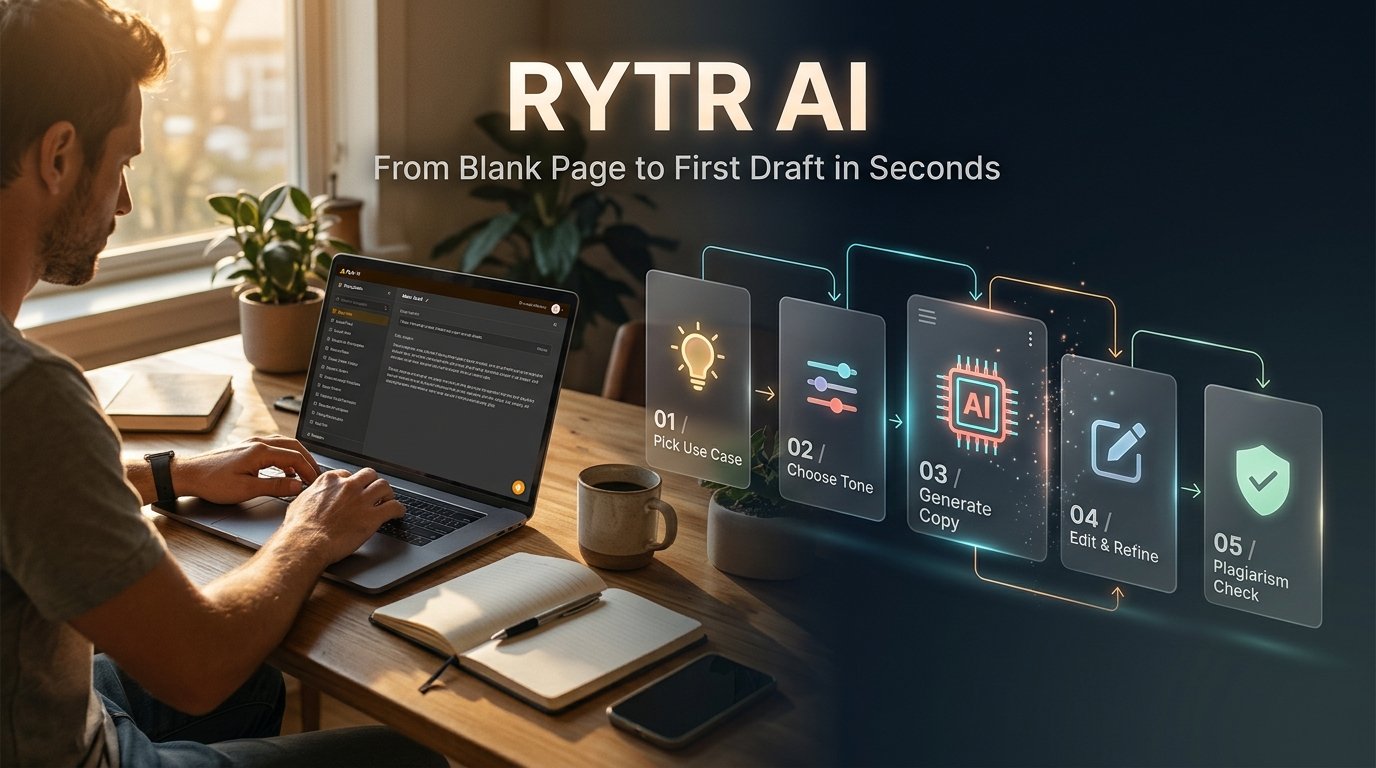
Step 1: Pick a use case. Rytr offers 40+ templates covering blog ideas, product descriptions, cold emails, social media captions, and more . You can also create custom use cases on higher tiers.
Step 2: Provide context. You enter a brief description of what you need, select a tone from 20+ options, and choose your language from 30+ supported options .
Step 3: Generate and edit. The AI produces text in seconds. You can regenerate for variations, edit inline with the “Magic Command” feature, or run the output through the built-in plagiarism checker (available on paid plans) .
Step 4: Export. Copy the text, save it, or use the Chrome extension to work directly in your browser.
The interface is clean and beginner-friendly. There is virtually no learning curve, which makes it accessible for users who find Jasper or Copy.ai overwhelming.
Key Features
Template Library and Use Cases
Rytr’s 40+ templates cover the practical formats most marketers need: ad copy, product descriptions, email subject lines, blog outlines, and social posts . The templates reduce the blank-page problem to a fill-in-the-blanks exercise.
The trade-off is rigidity. Templates work well for standard formats and poorly for anything requiring a unique structure.
MyVoice Style Matching
Rytr’s MyVoice feature analyzes your previous writing to match your tone and vocabulary. This addresses a common complaint about AI writing sounding generic.
The feature is limited by plan. The Lite plan includes one tone match. Multiple tone matches require the Personal or Pro tiers . For freelancers writing for multiple brands, this limitation matters.
Plagiarism Checker
Paid plans include a built-in plagiarism checker powered by Copyscape . The Lite plan includes 50 checks per month, while higher tiers offer more .
This is a useful safeguard for content that will be published. It is not a substitute for editorial judgment.
Chrome Extension
The browser extension lets users generate text without leaving their workflow. Reviews are mixed. Some users report it works well for quick tasks, while others describe reliability issues and note that it sometimes simply opens the Rytr website rather than functioning inline .
Multi-Language Support
Rytr supports 30+ languages . A French-language review notes that the language support is genuine, not just English text passed through a translation layer . For international marketers, this is a meaningful feature at the price point.
Pricing: What You Actually Pay
Rytr publishes clear pricing, which is a point in its favor. Competitors like Jasper and Copy.ai push users toward sales conversations for higher tiers.
| Plan | Monthly Price | Annual Price (per month) | Characters | Key Limits |
|---|---|---|---|---|
| Free | $0 | $0 | 10,000/month | No plagiarism checks, 1 language |
| Lite | $9 | $7.50 | Unlimited | 1 tone match, 50 plagiarism checks/month, 1 language |
| Personal | $19 | Not listed | Unlimited | 2 connected sources, 250 relationships |
| Pro | $49 | Not listed | Unlimited | Custom use cases, 100 plagiarism checks, 35+ languages |
Important pricing nuances:
The annual saving is advertised as 20%, but the listed prices save closer to 17%. The pricing page contradicts itself .
The Lite plan’s “1 language” restriction is significant. If you need output in multiple languages, you must upgrade to Pro at $49 per month .
Team plans exist but are not prominently displayed. Additional seats cost $19 per month on the Unlimited tier or $9 per month on the Saver tier . Rytr explicitly states that team plans are not intended for individuals sharing a billing account .
Accuracy and Output Quality
User reviews present a consistent picture of Rytr’s strengths and weaknesses.
What works: Short-form content generation is fast and generally usable. A Capterra reviewer notes: “Rytr is fast and efficient. The AI assistant can develop content in seconds” . Another states: “It’s affordable. It lets you choose the tone of writing” .
Where it struggles: Long-form content and factual accuracy. Multiple reviewers note that output requires proofreading and rewriting. One reviewer states: “Sometimes it repetitive. Its not always accurate so you need to proof read and rewrite it sometimes” . Another notes: “Rytr may not be the best option for long-form content, as it sometimes produces irrelevant or nonsensical content” .
An independent review echoes this: “Output quality lags behind Jasper and Writesonic for long-form content — better for short copy” .
The practical takeaway: Rytr is a drafting tool, not a finished-content generator. Budget time for editing.
Privacy and Data Protection
Rytr’s privacy policy covers standard data collection: information you provide directly, data observed through your activity, cookies, and data from service providers . The policy includes CCPA rights for California residents, including opt-out of data sales and deletion requests .
What is not disclosed: Rytr has not publicly stated SOC 2 certification, ISO 27001, or Zero Data Retention policies. The privacy policy does not detail how long generated content is retained or whether user inputs are used for model training.
The company’s privacy posture is standard for a mid-tier SaaS tool. It is not a differentiator, and it is not a red flag. Businesses handling sensitive content should request specifics directly.
The FTC Matter
In 2024, the FTC filed a complaint against Rytr over its “Testimonial & Review” feature, which could be used to generate fake reviews . This is a verified regulatory action, not a user complaint.
A subsequent development in January 2026 saw the FTC move to reopen and set aside the 2024 consent order, citing failure to satisfy legal requirements . The regulatory situation remains fluid.
For buyers, the relevance is straightforward. Rytr’s template library includes features that regulators have scrutinized for enabling deceptive practices. Users should avoid generating fake reviews or testimonials with any AI tool, regardless of platform.
Who Should Use Rytr AI?
Rytr fits well for:
- Solo marketers and freelancers producing short copy under a tight budget
- E-commerce sellers needing product descriptions and ad variations at volume
- Beginners who want a simple interface without prompt engineering
- Users who need a drafting tool and are willing to edit the output
Rytr may not fit for:
- Content teams producing long-form articles or in-depth guides
- Agencies managing multiple brand voices (tone match limits apply)
- Users needing rigorous SEO features (Rytr’s keyword tools are shallow)
- Teams requiring transparent per-seat pricing and team management features
A Techpresso review summarizes the fit well: “Rytr is worth it for one person who writes short marketing copy and wants the lowest single-seat price we checked” .
Rytr AI vs. Alternatives
| Platform | Target User | Key Strength | Pricing Transparency | Core Limitation |
|---|---|---|---|---|
| Rytr AI | Solo writers, short-form | Lowest unlimited price, simple UI | High (public tiers) | Weak long-form, limited tone matching |
| Copy.ai | Teams, GTM workflows | 90+ tools, strong short-form | Moderate ($49 Starter) | Higher entry price |
| Jasper | Brand-focused teams | Deep brand voice training | Low (sales-led for Pro) | Expensive for solo users |
| ChatGPT | General users | Versatile, strong long-form | High (free tier, $20 Plus) | No template workflow |
Rytr competes on price. Copy.ai and Jasper compete on brand voice and team features. ChatGPT competes on raw capability and versatility.
For a solo user producing short copy, Rytr’s $9 Lite plan is difficult to beat on cost. For a team needing consistent brand voice across multiple clients, Jasper or Copy.ai justify their higher prices.
Common Mistakes When Using Rytr AI
Expecting long-form quality. Rytr is optimized for short copy. Generating a 1,500-word article and expecting it to be publication-ready will lead to disappointment. Use it for outlines and drafts.
Ignoring the language limit. The Lite plan supports one language. If you need multilingual output, budget for Pro at $49 per month.
Skipping the plagiarism check. Paid plans include checks for a reason. AI-generated text can inadvertently reproduce existing content. Run the check before publishing.
Assuming the Chrome extension works everywhere. Reviews indicate reliability issues . Test it in your specific workflow before relying on it.
Overlooking the tone match cap. One tone match on Lite means one brand voice. Freelancers with multiple clients will hit this limit quickly.
Frequently Asked Questions
Is Rytr AI free?
Yes. Rytr offers a free tier with 10,000 characters per month, access to all use cases, and no credit card requirement. Paid plans start at $9 per month for unlimited generation .
How much does Rytr AI cost?
The Lite plan costs $9 per month or $7.50 per month billed annually. The Personal plan is $19 per month, and the Pro plan is $49 per month. Annual billing saves approximately 17%, not the advertised 20% .
Is Rytr AI good for long-form content?
No. Multiple reviews and independent analysis note that Rytr’s output quality lags on long-form content. It is best suited for short copy like emails, product descriptions, and social posts .
Does Rytr AI have a plagiarism checker?
Yes, on paid plans. The Lite plan includes 50 plagiarism checks per month. The Pro plan includes 100 checks .
What was the FTC complaint against Rytr AI?
In 2024, the FTC filed a complaint over Rytr’s “Testimonial & Review” feature, which could generate fake reviews. The regulatory situation has since seen the FTC move to reopen the consent order in January 2026 .
Conclusion
Rytr AI occupies a specific niche: affordable, fast, template-driven writing for short-form content. Its free tier makes evaluation easy. Its Lite plan undercuts most competitors on price. For a solo marketer producing social posts, emails, and product descriptions, it delivers genuine value.
The limitations are equally clear. Long-form content requires heavy editing or a different tool. Tone matching is capped on lower tiers. SEO features are shallow. The FTC matter adds a note of caution around the platform’s review-generation capabilities.
Rytr suits budget-conscious solo writers who need a fast drafting tool and are willing to edit the output. It may not suit teams needing multiple brand voices, content teams producing long-form articles, or users requiring deep SEO optimization features.
Before paying, test the free tier with your actual content types. Confirm that the language and tone limits match your needs. Run the plagiarism checker on anything you plan to publish. Rytr is a useful tool at a fair price, but it is not a replacement for editorial judgment or a long-form writing platform.