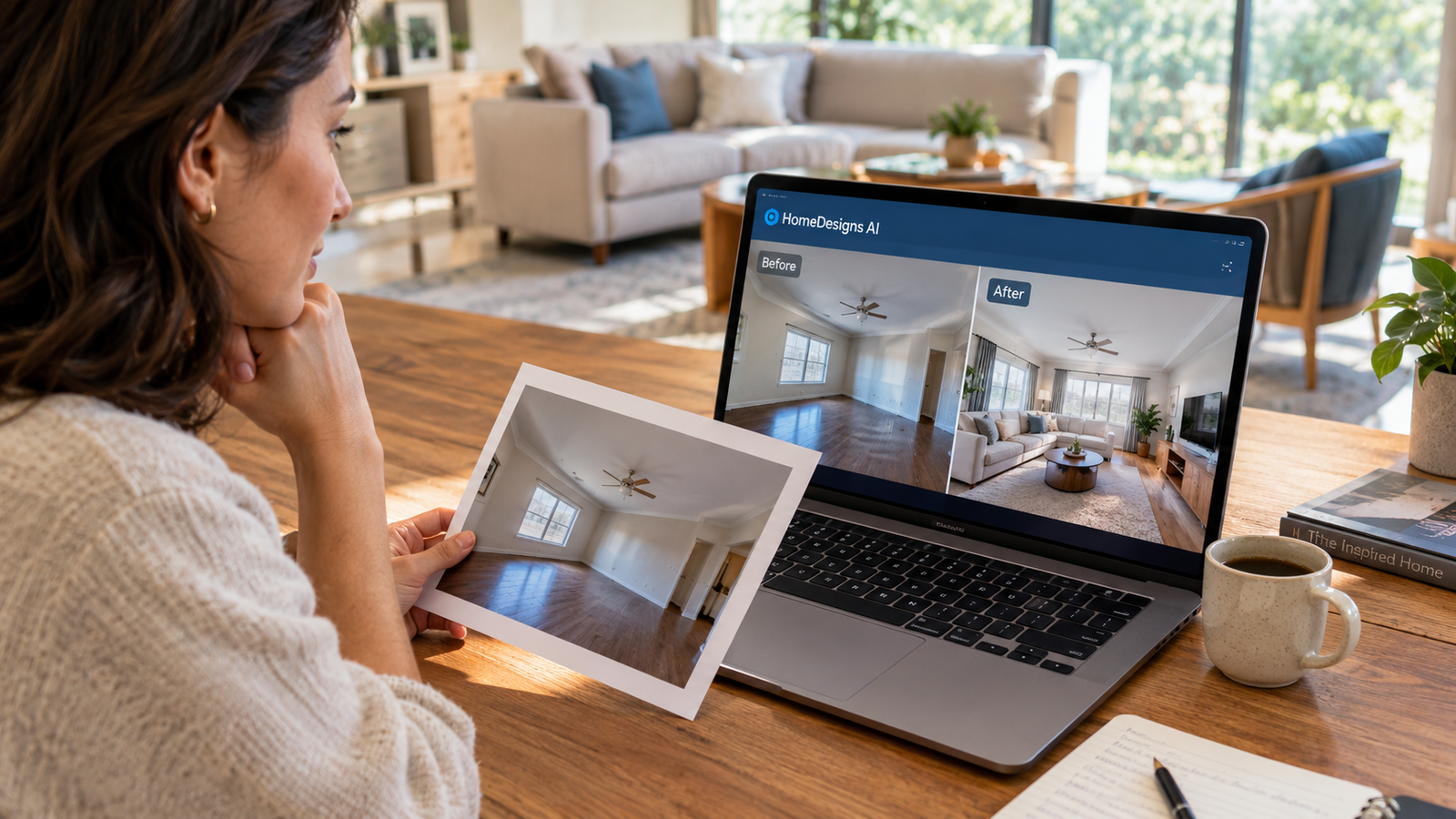
HomeDesigns AI is a generative AI platform that redesigns interior, exterior, and garden spaces from uploaded photos. It offers 80+ design styles, virtual staging, and 3D floor plan conversion through a credit-based subscription, though output quality varies significantly depending on the tool and prompt used.
At a Glance
- Core function: AI-powered photo-to-design generation for interiors, exteriors, and gardens
- Founded: 2022, headquartered in Timisoara, Romania
- Pricing: Starts around $27 to $37 per month for individual plans, with annual discounts up to 62%
- Credit system: Universal credits across modules; costs range from 1 credit (Paint Visualizer) to 3 credits (Video Generation)
- Standout feature: Beautiful Redesign mode preserves structural elements while updating aesthetics
- Key limitation: Prompt adherence is inconsistent; complex instructions often produce unpredictable results
What Is HomeDesigns AI?
HomeDesigns AI is a web-based generative AI tool built for home design visualization. Users upload a photo of a real space, select a design style, and the platform produces photorealistic renders of the redesigned room.
The company reports over 2.78 million users and 7.76 million completed projects . It serves homeowners experimenting with renovation ideas, real estate agents staging listings, and interior designers generating client presentations.
Unlike tools that generate entirely fictional rooms, HomeDesigns AI positions itself around preserving the original structure. Walls, windows, and room proportions should remain intact while furniture, colors, and finishes change . That promise matters for anyone evaluating whether the output reflects their actual space.
How HomeDesigns AI Works
The workflow is designed for speed and simplicity.
Step 1: Upload a photo. The platform requires images of at least 512×512 pixels and no more than 5 MB for optimal results . Clear, well-lit photos produce better outputs.
Step 2: Select space type and style. Users choose whether they are working with an interior, exterior, or garden. Then they pick from a library of 80+ styles, ranging from Mediterranean and Scandinavian to industrial and eclectic .
Step 3: Adjust AI intervention. A slider controls how aggressively the AI modifies the image. Setting 1 applies minimal intervention; setting 4 may alter structural elements like walls . For photos with many objects, lower settings generally produce more accurate results.
Step 4: Generate and refine. The platform produces one to four variations per request. Users can then use editing tools like Precision+ or Material Swap for targeted adjustments .
Key Features
Beautiful Redesign
This is the platform’s most reliable module. Beautiful Redesign refreshes aesthetics while keeping walls, windows, doors, and layout unchanged . It works best for quick updates where the goal is a visual upgrade rather than a full reconfiguration.
A reviewer at Architectural Digest España tested this mode and found it performed well: “Sí que mantiene la estructura de la estancia y consigue cambiar los elementos por otros similares del estilo que elijas” . The same reviewer noted that other modes produced less predictable results.
Magic Redesign and Creative Redesign
These modes offer greater creative freedom but lower reliability. Magic Redesign can reimagine an entire space, but it consumes 2 credits per generation and may ignore structural constraints . The Spanish reviewer tested Magic Redesign with a simple instruction, asking to extend a bookshelf to the edge of a rug, and received an image that bore no resemblance to the original room .
Virtual Staging
For empty rooms, Virtual Staging furnishes spaces in one click at a cost of 1 credit . This module is purpose-built for real estate listings and spec homes. It is faster and cheaper than running a full Magic Redesign on an empty space.
3D Floorplans
Launched in October 2025, this feature converts 2D floor plans, sketches, or diagrams into 3D models . Users can upload a flat drawing and receive a navigable 3D representation of the layout. This is particularly useful for understanding flow and scale before committing to a design direction.
Budget Estimator
The Instant Furniture Estimate tool analyzes any generated image and calculates an estimated budget for the objects shown . Users select between Budget, Mid Range, and Premium quality tiers to match their project scope. The tool provides a real-time cost breakdown within the design workflow.
Furniture Creator and 3D Export
Users can generate furniture concepts from text prompts and then convert them into 3D objects. These can be downloaded as GLB files for use in external 3D modeling software . This feature bridges the gap between concept visualization and production workflows.
Pricing and Credit System
HomeDesigns AI uses a credit-based subscription model. Every generation consumes credits, and different tools cost different amounts.
| Plan | Monthly Price | Annual Price (per month) | Credits/Month | Key Features |
|---|---|---|---|---|
| Standard | ~MX$249 | ~MX$82 (59% savings) | 100 | 80+ styles, basic modules |
| Pro | ~MX$279 | ~MX$110 (62% savings) | 1,000 | 160+ styles, commercial license |
| Expert | ~MX$349 | ~MX$132 (62% savings) | 2,000 | 200+ styles, video, 3D, team seats |
Prices shown from Mexican storefront; local pricing varies by region . Software Advice lists US pricing starting at $27 to $37 per month .
Credit Costs by Module
- Paint Visualizer, Material Swap, Virtual Staging: 1 credit each
- Magic Redesign, Creative Redesign: 2 credits each
- Video Generation: 3 credits
- AI Assistant interactions: 0.2 credits per use
The credit system rewards strategic use. Running exploratory iterations with 1-credit tools before committing to a 2-credit Magic Redesign saves substantial credits over a project .
Hidden Limitations
No unlimited tier. Every generation costs credits. Heavy users will hit their monthly cap and need to purchase top-ups or upgrade.
Annual billing required for best rates. The advertised 59 to 62 percent savings apply only to annual commitments . Monthly subscribers pay significantly more.
Commercial license only on Pro and above. Standard plan users cannot use generated designs for client work or commercial purposes.
Real-World Performance: What Testing Reveals
Independent testing provides a more nuanced picture than marketing materials.
Architectural Digest España tested HomeDesigns AI across multiple modes. Beautiful Redesign performed reliably, maintaining room structure while updating aesthetics. But Magic Redesign failed on simple instructions, producing nonsensical results when asked to make specific changes .
The reviewer also noted that Design Transfer mode occasionally placed objects illogically, such as a bookshelf in front of a door or a painting behind a television . These errors suggest the underlying model struggles with spatial reasoning and physical plausibility.
Fill Spaces mode worked reasonably well for empty rooms, but the reviewer observed difficulties with angles and perspective. Front-facing photos produced better results than angled shots .
Editorial interpretation: HomeDesigns AI works best when treated as an inspiration tool rather than a precise visualization engine. Users who expect exact adherence to complex prompts will be disappointed. Those who use it for style exploration and quick visual updates will find it useful.
Who Should Use HomeDesigns AI?
Good fit:
- Homeowners exploring renovation ideas without hiring a designer
- Real estate agents needing quick virtual staging for listings
- Interior designers generating mood boards and client presentations
- DIY enthusiasts testing color palettes and furniture layouts before purchasing
Poor fit:
- Professionals requiring precise, measurement-accurate renders
- Users who need guaranteed prompt adherence for specific changes
- Budget-conscious users who only need occasional designs (no free tier)
- Anyone working with highly complex or irregular room layouts
Privacy and Security
HomeDesigns AI operates as a web-based SaaS platform. The company has not publicly disclosed SOC 2 certification or Zero Data Retention policies. Standard data handling practices apply, but specific retention periods for uploaded images and generated designs are not clearly documented.
Users should treat uploaded photos as potentially retained on company servers. For sensitive properties or client work, review the terms of service carefully before uploading.
Note on domain safety: A ScamAdviser check for a similarly named domain (homedesignsai.pro) returned a low trust score, but this appears to be a separate or impersonating site. The legitimate platform operates at homedesigns.ai. Verify the URL before entering payment information .
Alternatives and Competitors
| Platform | Target User | Key Strength | Pricing Transparency | Core Limitation |
|---|---|---|---|---|
| HomeDesigns AI | Homeowners, agents | Broad feature set, 3D tools | Moderate (credit system) | Inconsistent prompt adherence |
| InteriorAI | Casual users | Free tier available | High | Limited advanced features |
| REimagine Home | Real estate pros | Strong staging focus | Moderate | Fewer design styles |
| RoomGPT | Quick inspiration | Simple, fast | High | Basic output quality |
| Spacely AI | Design professionals | High-quality renders | Low (sales-led) | Higher cost, steeper learning curve |
AlternativeTo lists over 25 competitors in the AI interior design space . CB Insights identifies StageInHome, Interior AI, and Leaperr among HomeDesignsAI’s direct competitors .
The key differentiator for HomeDesigns AI is its breadth. Few competitors offer 3D floor plans, video generation, and a furniture finder in one platform. However, competitors like InteriorAI offer free tiers that make them more accessible for casual experimentation.
Common Mistakes When Using HomeDesigns AI
Using low-quality photos. Blurry, dark, or angled images produce poor results. Front-facing, well-lit photos with clear spatial relationships work best .
Setting AI intervention too high. For rooms with many objects or complex layouts, intervention levels of 3 or 4 can alter structural elements. Start low and increase only if needed .
Expecting Magic Redesign to follow precise instructions. Testing shows this mode often ignores specific prompts. Use it for general style changes, not targeted modifications .
Wasting credits on exploratory iterations. Run cheap 1-credit generations first to lock in direction, then spend 2 credits on a final polished render .
Skipping the HD upscale. The platform offers one-click HD upscaling for generated images . Skipping this step leaves designs looking soft or incomplete.
Frequently Asked Questions
Is HomeDesigns AI free to use?
HomeDesigns AI does not offer a permanent free tier. New users may encounter promotional trials, but ongoing use requires a paid subscription starting around $27 to $37 per month. The platform operates on a credit-based system where every generation consumes credits .
What is the difference between Beautiful Redesign and Magic Redesign?
Beautiful Redesign preserves walls, windows, and structural elements while updating colors, furniture, and decor. Magic Redesign offers greater creative freedom but may alter the room’s structure and costs more credits (2 vs. 1). Testing suggests Beautiful Redesign produces more predictable results .
How many credits does a typical design cost?
Most simple operations cost 1 credit, including Paint Visualizer, Material Swap, and Virtual Staging. Full redesigns via Magic Redesign cost 2 credits. Video Generation costs 3 credits. The Standard plan includes 100 credits per month, which translates to roughly 50 full redesigns .
Can I use HomeDesigns AI for commercial projects?
Commercial licensing is only available on Pro and Expert plans. Standard plan subscribers cannot use generated designs for client work, real estate listings, or any revenue-generating purpose. Check your plan tier before using outputs commercially .
Does HomeDesigns AI work for exterior and garden design?
Yes. The platform supports interior, exterior, and garden spaces. Users select the space type during the upload process. The same credit costs and mode options apply across space types, though exterior renders may require higher AI intervention settings for dramatic transformations .
Conclusion
HomeDesigns AI offers a genuinely useful set of tools for visualizing home design ideas. The Beautiful Redesign mode delivers on its promise of structural preservation. Virtual Staging and 3D Floorplans add practical value beyond simple image generation. The credit system, while requiring strategic management, is more flexible than rigid per-generation caps.
The limitations are equally real. Magic Redesign struggles with precise instructions. Output quality depends heavily on photo quality and prompt clarity. The absence of a free tier makes experimentation costly for casual users.
Before subscribing, test the platform with your actual space and a realistic project goal. Use the cheapest credit options to explore direction, then commit to premium modes only when you have a clear target. Compare against free alternatives like InteriorAI if you only need occasional inspiration. Verify the domain is homedesigns.ai before entering payment details.
HomeDesigns AI suits users who value breadth of features and are willing to work within the platform’s creative constraints. It does not replace a professional designer for precision work, but it can accelerate the ideation phase significantly.