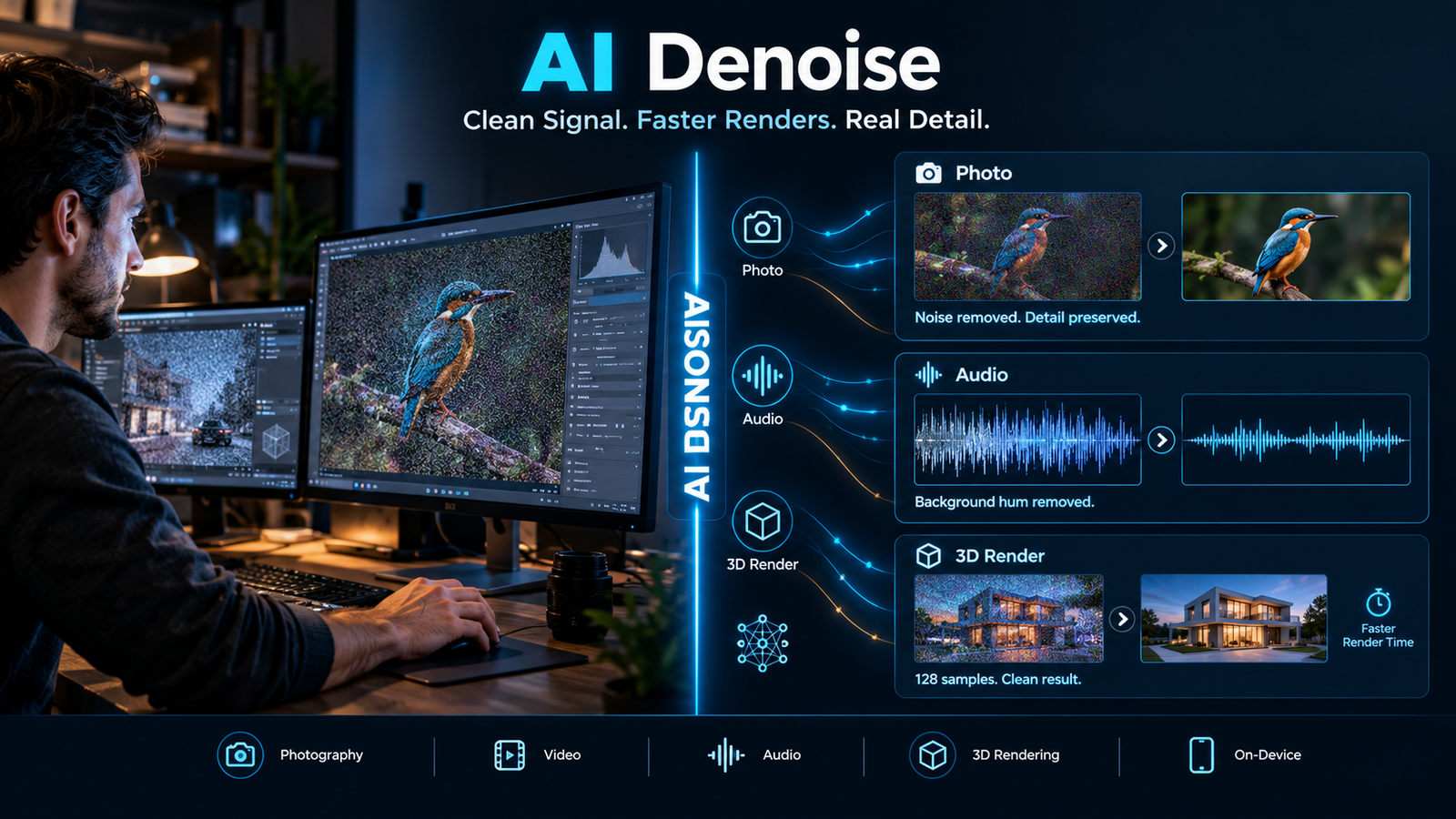
AI denoise is a noise reduction technique that uses trained machine learning models to separate unwanted noise from real signal in images, video, or audio. It replaces or supplements traditional filters by learning noise patterns from data rather than relying on fixed mathematical rules.
At a Glance
- Core idea: Trained models distinguish noise from detail instead of smoothing everything uniformly
- Biggest practical benefit: Render time savings in 3D work, often 50 to 70 percent at comparable visual quality
- Main risk: Aggressive settings can blur fine detail, especially hair, fabric, and micro-texture
- Tool landscape: Separate markets exist for photo, video, audio, and 3D rendering, with little overlap
- Pricing reality: Ranges from free on-device apps to $139.99 perpetual licenses and $399 annual suites
- Privacy split: Some tools process locally, others upload to servers with varying retention policies
What Is AI Denoise?
AI denoise refers to noise reduction powered by machine learning rather than hand-tuned filters. Traditional denoisers apply fixed rules across an image or audio track. AI models learn what noise looks like from training data and attempt to remove only that.
The term covers several distinct product categories. In photography, it means cleaning high-ISO RAW files. In video production, it means salvaging grainy footage. In 3D rendering, it means reconstructing clean frames from low sample counts. In audio, it means stripping background hum from recordings.
Each category uses different models and serves different users. Treating them as one market leads to poor tool choices.
How AI Denoise Works
The general workflow is consistent across media types.
Step 1: Noise is identified. The model analyzes the input and estimates which pixels or samples are noise rather than signal. In video, it can compare adjacent frames because noise changes randomly while real detail stays consistent .
Step 2: The model reconstructs. Instead of simply blurring noisy areas, the model predicts what clean detail should look like based on patterns learned during training.
Step 3: The result is merged back. Good implementations preserve edges and texture where confidence is high, and smooth only where noise dominates.
Step 4: Trade-offs appear. Every denoiser balances noise removal against detail retention. Push too hard, and textures go waxy. Underuse it, and noise remains.
In 3D rendering, the workflow is slightly different. You deliberately render at a lower sample count, which produces a noisy frame faster, then let the denoiser reconstruct the clean result . The savings come from skipping compute, not from post-processing magic.
Where AI Denoise Delivers Real Value
3D Rendering and Animation
This is the strongest case for AI denoise in production terms. A Blender Cycles frame rendered at 512 samples can take over 8 minutes. At 128 samples with NVIDIA OptiX denoising, the same frame renders in under 3 minutes with virtually identical quality .
The economics follow directly. A render costing $5.60 drops to $1.90 at the lower sample count . For studios running thousands of frames, the savings compound quickly.
The main hardware-dependent options are NVIDIA OptiX, which requires RTX GPUs and runs on tensor cores, and Intel OIDN, which is open-source and runs on CPU. OptiX is faster when available. OIDN is more portable .
Photography
AI denoise has changed what photographers can do with high-ISO files. Modern tools from Adobe, DxO, Topaz, and ON1 can recover usable images from situations that previously produced unusable noise.
DxO PureRAW receives consistent praise for detail retention, particularly with fine textures like feathers and foliage. Adobe Lightroom Denoise is valued for workflow convenience inside the Adobe ecosystem. Topaz Photo AI offers aggressive cleanup when needed .
A comparison from Unique Photo noted that DxO often extracts the cleanest detail from RAW files in high-ISO situations, while Adobe remains the faster path for photographers already working in Lightroom .
Audio and Voice Recording
AI denoise for audio targets a different problem: background hum, wind, traffic, and room echo in voice recordings. The best consumer tools now run entirely on-device, which matters for privacy.
An iOS app called Denoise: AI Noise Remover processes audio locally on the iPhone using an on-device neural network. No audio leaves the device, and the core denoiser is free . For journalists, podcasters, and students recording lectures, this removes the privacy concern that comes with cloud processing.
Open-source options exist for technical users. ErTing, a Python-based tool, runs locally and uses ModelScope speech enhancement models. It supports common audio and video formats and offers CLI, GUI, and web interfaces .
Video Production
Video denoise sits between photo and 3D in complexity. Tools like Topaz Video AI and Boris FX Continuum offer AI-based cleanup for noisy footage. The risk is similar: over-processing can create artifacts or soften motion .
Browser-based options have emerged for simpler needs. MiOffice runs FFmpeg denoising filters locally in the browser, with no upload . This suits quick cleanup of phone footage or screen recordings rather than professional post-production.
Limitations and Trade-offs
Detail Loss Is Real
Every AI denoiser can soften fine detail if pushed too far. The iRender analysis notes that hair strands, fabric weave, and micro-displacement can blur at very low sample counts in rendering . A DPReview forum comparison of two photo denoisers showed that aggressive processing can produce generative artifacts, where the model invents texture that was not present .
The practical rule is to test before committing. Denoise a representative sample at your intended settings and inspect it at full resolution.
Accuracy Claims Need Scrutiny
Marketing language around AI denoise often promises “clean” results without defining what was lost. Third-party comparisons are more useful than vendor claims. The Unique Photo comparison, for example, found that Topaz and ON1 can introduce visible artifacts at high strengths if sharpening is stacked aggressively .
The Wrapper Problem
Some AI denoise products are thin interfaces over existing open-source models. This is not inherently bad, but it affects pricing expectations. If a paid tool wraps Intel OIDN or a ModelScope model, the value lies in the interface and workflow, not the underlying technology.
Pricing Landscape
AI denoise pricing varies so widely that comparing across categories is misleading. The table below covers representative tools in each segment.
Information gain worth noting: CleanAudio’s one-time packages do not expire, while its monthly plans reset each period . That distinction matters for users with irregular workloads. A podcaster who processes ten hours one month and two hours the next is better served by the non-expiring package than a subscription.
Privacy and Data Handling
AI denoise tools split into two broad camps on privacy.
Local processing keeps files on the user’s device. The iOS Denoise app states explicitly that no audio leaves the device . ErTing runs locally through Python . MiOffice processes video in the browser without uploading . For sensitive recordings, local processing is the safer default.
Cloud processing uploads files to servers. Retention policies vary. CleanAudio states that uploaded files are automatically deleted within 24 hours and that files are not used for AI training . That is a clear policy, but it is still a server-side process. Users handling confidential material should verify retention terms before uploading.
Important distinction: A stated deletion policy is not the same as Zero Data Retention or SOC 2 certification. Neither CleanAudio nor the iOS Denoise app publicly claims those specific certifications. GDPR compliance, where applicable, is a legal framework rather than a technical guarantee.
Who Should Use AI Denoise?
Good fit:
- 3D artists and animators who want to cut render times without visible quality loss
- Photographers working in low light who need usable files from high-ISO shoots
- Podcasters and journalists cleaning voice recordings, especially with local processing
- Video editors salvaging footage from phones or older cameras
Poor fit:
- Anyone expecting AI denoise to fix fundamentally broken footage or audio
- Users who need guaranteed preservation of every fine texture detail
- Budget-conscious users who only occasionally need denoising, since subscription costs add up
Common Mistakes
Over-denoising. The most common error is pushing strength too high. Start at moderate settings and compare against the original at full resolution.
Ignoring the source. A denoiser cannot recover detail that was never captured. If the original file is severely underexposed or heavily compressed, expectations should be modest.
Assuming one tool covers all media. Photo denoisers do not process audio. Audio denoisers do not handle video. The categories are distinct, and multi-media suites often specialize in one area.
Skipping the free trial. DxO offers a 14-day trial . The iOS Denoise app is free for core use . Intel OIDN is free outright . There is little reason to pay before testing on your own files.
Frequently Asked Questions
Is AI denoise better than traditional noise reduction?
For many tasks, yes. AI models generally preserve detail better than uniform smoothing filters, especially in high-ISO photography and low-sample rendering. Traditional filters still have a place in simple workflows or when computational resources are limited.
Does AI denoise work on video?
Yes. Tools like Topaz Video AI and Boris FX Continuum include AI denoising for video. Browser-based options like MiOffice also exist for simpler cleanup. Results depend heavily on the source quality and the strength of processing.
Can AI denoise remove background noise from audio recordings?
Yes, within limits. AI audio denoisers are effective against consistent background noise like fans, traffic, and hum. They struggle with overlapping speech or unpredictable noise. On-device options like the iOS Denoise app offer a private way to clean voice recordings .
Is AI denoise safe for private recordings?
It depends on the tool. Local and on-device tools keep files on your hardware. Cloud tools upload them. Check the privacy policy for retention terms and whether files are used for training. CleanAudio, for example, states a 24-hour deletion policy and no training use .
Does AI denoise slow down rendering?
In 3D rendering, the opposite is usually true. OptiX denoising on RTX hardware adds less than a second per frame while allowing you to render at a fraction of the sample count . The net effect is significantly faster output.
Conclusion
AI denoise is not a single product but a family of techniques applied across photography, video, audio, and 3D rendering. The underlying idea is consistent: use trained models to separate noise from signal, then reconstruct the clean result.
What matters most depends on the use case. For 3D artists, the value is render time and cost savings. For photographers, it is usable high-ISO files with preserved texture. For audio users, it is clean voice recordings without the privacy trade-offs of cloud upload.
The limitations are equally real. Detail loss is possible. Aggressive settings can introduce artifacts. Pricing ranges from free to hundreds of dollars per year, and cloud tools require trust in retention policies that may not be independently verified.
Before choosing an AI denoise tool, test it on your own worst-case files. Check whether processing is local or cloud-based. Verify the pricing model against your actual usage pattern. The technology is genuinely useful, but only when matched to the right problem.

Alex Carter is a technology writer at AI SpaceZ.com, who covers AI tools, software reviews, practical tutorials and emerging artificial intelligence trends. He aims to make AI easier to understand and help readers discover useful tools and technologies for everyday productivity.