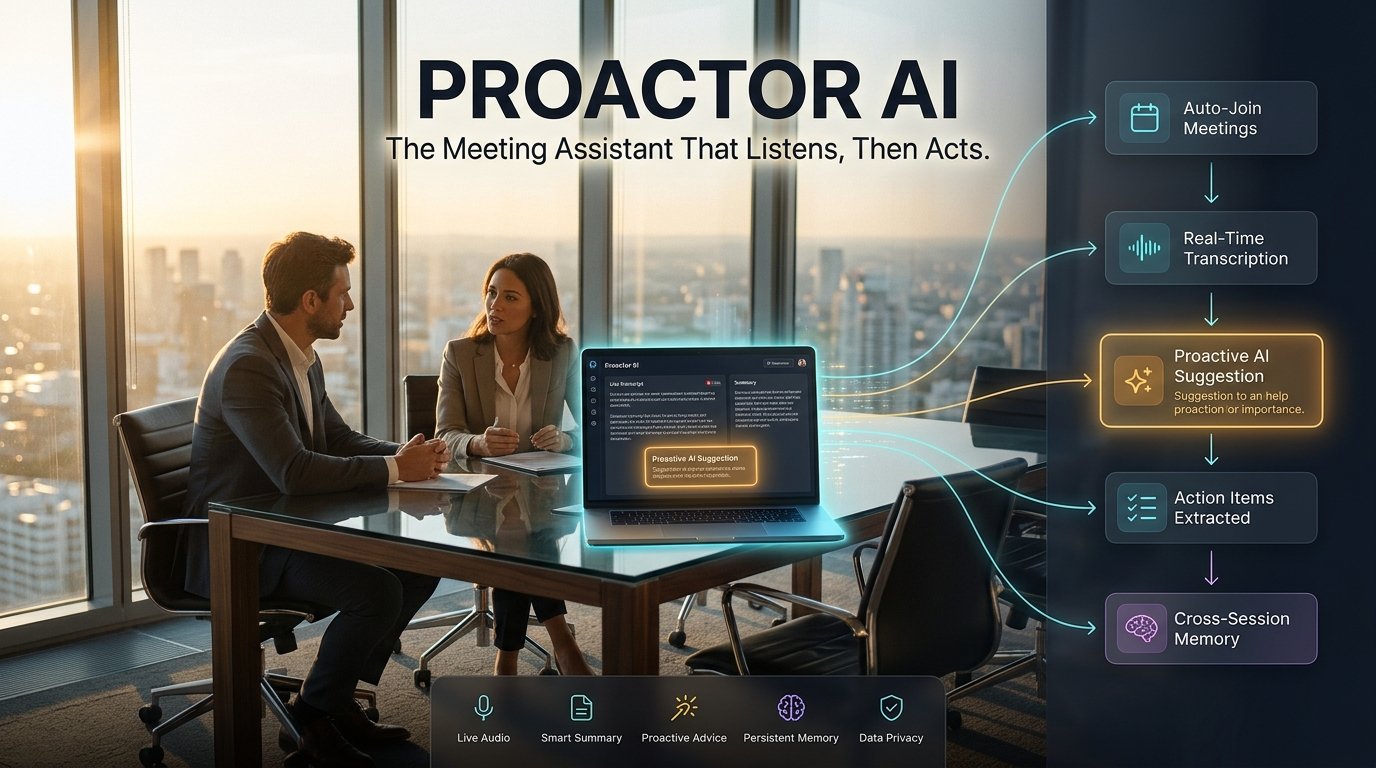
Proactor AI is an AI meeting assistant that transcribes conversations in real time, generates structured notes, and proactively surfaces suggestions and action items without waiting for prompts. It is available on web, iOS, and Android, with a free tier limited to 60 transcription minutes and paid plans starting at $15.99 per month billed annually.
At a Glance
- Core function: Real-time transcription, AI summaries, action item extraction, and proactive in-meeting suggestions
- Platforms: Web app, iOS, Android, and a Chrome extension
- Free tier: 60 total transcription minutes and 200 AI credits, enough for testing only
- Paid pricing: Pro at $15.99/month annually ($19.99 monthly) for 1,350 minutes; Business at $39.99/month annually ($49.99 monthly) for 3,600 minutes
- Key differentiator: “Proactive” AI that offers advice and context during meetings, not just after
- Main limitation: Proactive advice accuracy has been acknowledged by the founders as the top user complaint
What Is Proactor AI?
Proactor AI is a meeting and voice note assistant built around a simple premise: most AI note takers wait for you to ask. Proactor tries to anticipate.
The app listens during meetings, lectures, and calls. It transcribes speech in real time, identifies speakers, and produces structured summaries with key decisions and action items . What separates it from tools like Otter or Fireflies is its “proactive” layer. Proactor can surface background context, suggest follow-up questions, or flag potential issues while the conversation is still happening .
The company behind it, PROACTORAI LIMITED, is registered in Sheridan, Wyoming . The founders, Tian Qin and Deng Jie, came from a VR gaming background before pivoting to AI productivity software .
How Proactor AI Works
The workflow is designed to stay out of your way.
Step 1: Connect your calendar or start a recording. Proactor integrates with Google Calendar and can join meetings on Zoom, Teams, and Google Meet . You can also start a recording manually for lectures, voice memos, or in-person conversations.
Step 2: Let it transcribe and listen. The AI captures speech in real time, labels speakers, and timestamps key moments . You can interact with the assistant, called Potor, during the session to ask questions .
Step 3: Review the structured output. After the session, Proactor generates a summary with key decisions, action items, and unresolved questions . These are saved to a searchable memory bank.
Step 4: Query your history. Proactor keeps a cross-session memory. You can ask “What did we decide about the pricing changes last week?” and get an answer drawn from past recordings .
The real-time suggestion feature is the product’s headline capability. During a conversation, Proactor may detect a problem or question and proactively push relevant information, research, or next steps to your screen .
Key Features
Real-Time Transcription and Speaker Identification
Proactor transcribes speech as it happens, with timestamped highlights and speaker labels . It supports transcription in English, Spanish, French, German, Italian, Japanese, Chinese, Dutch, Arabic, and Portuguese, with more languages planned .
Proactive AI Advice
This is the feature that defines the product. While you talk, Proactor analyzes context and can surface suggestions without a prompt. The founders describe an example where a user mentioned high SEO traffic but low orders. Proactor identified the likely cause, researched the “AI SEO bubble” phenomenon, and pushed relevant articles and optimization tips to the user mid-meeting .
Memory and Cross-Session Context
Proactor retains information across sessions. It functions as a searchable knowledge base. You can ask questions about past conversations and get answers based on your own history .
Action Item Extraction
The AI detects decisions and tasks from conversation and organizes them with owners and deadlines where possible .
Integrations
Proactor supports Zoom, Teams, and Google Meet, along with a Chrome extension for browser-based meetings . An API is available for developers who want to embed proactive AI capabilities into their own products .
Pricing: What You Actually Pay
Proactor uses a dual-metering model: transcription minutes and AI credits. Both are consumed during use.
| Plan | Monthly Price | Annual Price (per month) | Transcription Tim | AI Credits |
|---|---|---|---|---|
| Basic | Free | Free | 60 minutes total | 200 credits |
| Pro | $19.99 | $15.99 | 1,350 minutes/month | 3,400 credits/month |
| Business | $49.99 | $39.99 | 3,600 minutes/month | 9,100 credits/month |
| Enterprise | Custom | Custom | Custom | Custom |
Source: Proactor pricing page .
The critical caveat: The free tier’s 60 minutes are total, not monthly. Once consumed, they do not refresh. This is enough to test the product but not enough for regular use.
Why two meters? Proactor explains that recording time covers transcription costs, while AI features require significant compute for real-time analysis. This allows the company to offer AI features across tiers while keeping costs tied to usage .
Overage handling: If you exceed your transcription limit, you can buy add-on data packs or your account is suspended until the next billing cycle. Proactor states it sends a warning before the limit is reached .
Proactive AI: Promise vs. Reality
The proactive feature is what makes Proactor interesting. It is also where the product draws its most consistent criticism.
In a candid interview, the founders acknowledged that the most common user feedback is that the accuracy of proactive advice is insufficient . They described three scenarios where proactive intervention is difficult to calibrate:
- When it should stay silent: Casual or hypothetical conversation where interjection adds noise
- When it should answer immediately: Clear, context-independent questions with a short response window
- When context is incomplete: Questions that require information from earlier or later in the conversation
The balance between precision, immediacy, and compute cost is an ongoing challenge. The founders stated they are actively working on improving advice accuracy .
A user comparison noted that Proactor can feel like “a more advanced meeting recorder” in meetings that are purely informational or status-update oriented. Proactor deliberately stays quieter in those contexts to avoid disruption . The proactive value is most apparent in high-density, decision-heavy conversations like interviews, brainstorming, or sales calls.
Privacy and Data Handling
Proactor’s Google Play listing states that the app may collect and share location data, personal information, and five other data categories with third parties. Data is encrypted in transit, and users can request deletion .
What is not disclosed: Proactor has not published SOC 2 certification, ISO 27001, or Zero Data Retention policies. ScamAdviser rates proactor.ai with a trust score of 83, noting a valid SSL certificate and domain age over one year, but flagging WHOIS privacy protection and a hosting provider with elevated scam association . ScamAdviser’s overall conclusion is that the site is “very likely not a scam but legit and reliable” .
For meeting recordings that may contain confidential business information, the absence of formal security certifications is a procurement consideration. Enterprise buyers should request specific data handling documentation before deploying across teams.
Who Should Use Proactor AI?
Proactor fits well for:
- Sales professionals who want real-time talking points and follow-up drafts
- Consultants and analysts in high-stakes meetings where context matters
- Students or researchers who need lecture capture with searchable memory
- Individuals who want a personal knowledge base built from conversations
Proactor may not fit for:
- Teams requiring formal security certifications before adoption
- Users who mainly attend status-update meetings where proactive advice adds little value
- Anyone who needs unlimited free transcription (the 60-minute cap is firm)
- Organizations that need guaranteed accuracy in AI-generated advice
The founders themselves position Proactor as most valuable in “problem-dense, fast-decision” scenarios. In routine sync meetings, it intentionally stays quiet . Buyers should test the proactive feature in their actual meeting types before committing.
Proactor AI vs. Alternatives
| Platform | Target User | Key Strength | Pricing Transparency | Core Limitation |
|---|---|---|---|---|
| Proactor AI | Professionals wanting proactive help | Real-time suggestions, cross-session memory | High (public tiers) | Proactive advice accuracy |
| Otter.ai | General meeting transcription | Mature transcription, integrations | High (freemium) | Post-meeting focus, less proactive |
| Fireflies.ai | Sales and team meetings | CRM integrations, conversation analytics | High (freemium) | Less real-time intervention |
| Notta | Multilingual transcription | Strong language support | High (freemium) | No proactive AI layer |
| Supernormal | Automated meeting notes | Clean summaries, calendar integration | Moderate | No in-meeting suggestions |
Source: TechShark alternatives listing .
The key distinction is Proactor’s real-time proactive layer. Otter and Fireflies are stronger on post-meeting workflows and integrations. Proactor bets that in-meeting assistance is more valuable than post-meeting summaries. Whether that bet pays off depends on the accuracy of the suggestions and the user’s meeting types.
Common Mistakes When Using Proactor AI
Burning the free tier on low-value recordings. The 60 minutes are total. Test Proactor on your most important meeting type, not a random call.
Expecting proactive advice everywhere. In routine meetings, Proactor deliberately holds back. Judge the feature in decision-heavy conversations where it is designed to engage.
Ignoring the dual-metering model. Transcription minutes and AI credits are separate. Heavy AI usage can drain credits faster than expected. Check your consumption patterns during the trial.
Assuming enterprise-grade security. Proactor lacks publicly disclosed SOC 2 or ISO 27001 certification. Teams handling sensitive information should request documentation before deploying.
Missing the memory feature’s potential. The cross-session memory is Proactor’s quiet strength. New users often focus on transcription and overlook the ability to query past conversations.
Frequently Asked Questions
Is Proactor AI free?
Proactor offers a free Basic tier with 60 total transcription minutes and 200 AI credits. These limits do not refresh monthly. Paid plans start at $15.99 per month billed annually for the Pro tier .
What makes Proactor AI different from other note takers?
Proactor’s “proactive” AI can surface suggestions, context, and next steps during a meeting without a prompt. Most competitors focus on post-meeting transcripts and summaries .
How accurate is Proactor’s proactive advice?
The founders have acknowledged that advice accuracy is the top user feedback concern. It performs best in decision-dense conversations and intentionally stays quiet in routine meetings .
Does Proactor AI integrate with Zoom and Google Meet?
Yes. Proactor supports Zoom, Teams, and Google Meet, along with Google Calendar for automatic meeting detection and a Chrome extension .
Is Proactor AI secure for confidential meetings?
Proactor states that data is encrypted in transit and users can request deletion. However, the company has not published SOC 2 or ISO 27001 certification. Enterprise buyers should request specific security documentation .
Conclusion
Proactor AI is an ambitious attempt to move meeting AI from passive recording to active participation. The transcription and summarization features are solid. The cross-session memory is genuinely useful. The proactive advice layer, when it works, offers a glimpse of what an always-on AI teammate could feel like.
The limitations are real. Proactive accuracy is inconsistent, and the founders acknowledge it. The free tier is a sample, not a trial. Security certifications are absent, which matters for enterprise deployment. Pricing uses a dual-metering model that requires monitoring to avoid overages.
Proactor suits professionals in high-stakes, conversation-heavy roles who want real-time assistance and are willing to test the proactive feature against their actual use cases. It may not suit teams that need formal security compliance or users who mainly attend routine meetings where the proactive layer adds little value.
Before subscribing, use the free tier on your most important meeting type. Evaluate whether the proactive suggestions are accurate enough to trust. Check your credit consumption against the plan limits. Proactor is a genuine step forward in meeting AI, but its core promise reliable proactive assistance is still a work in progress.