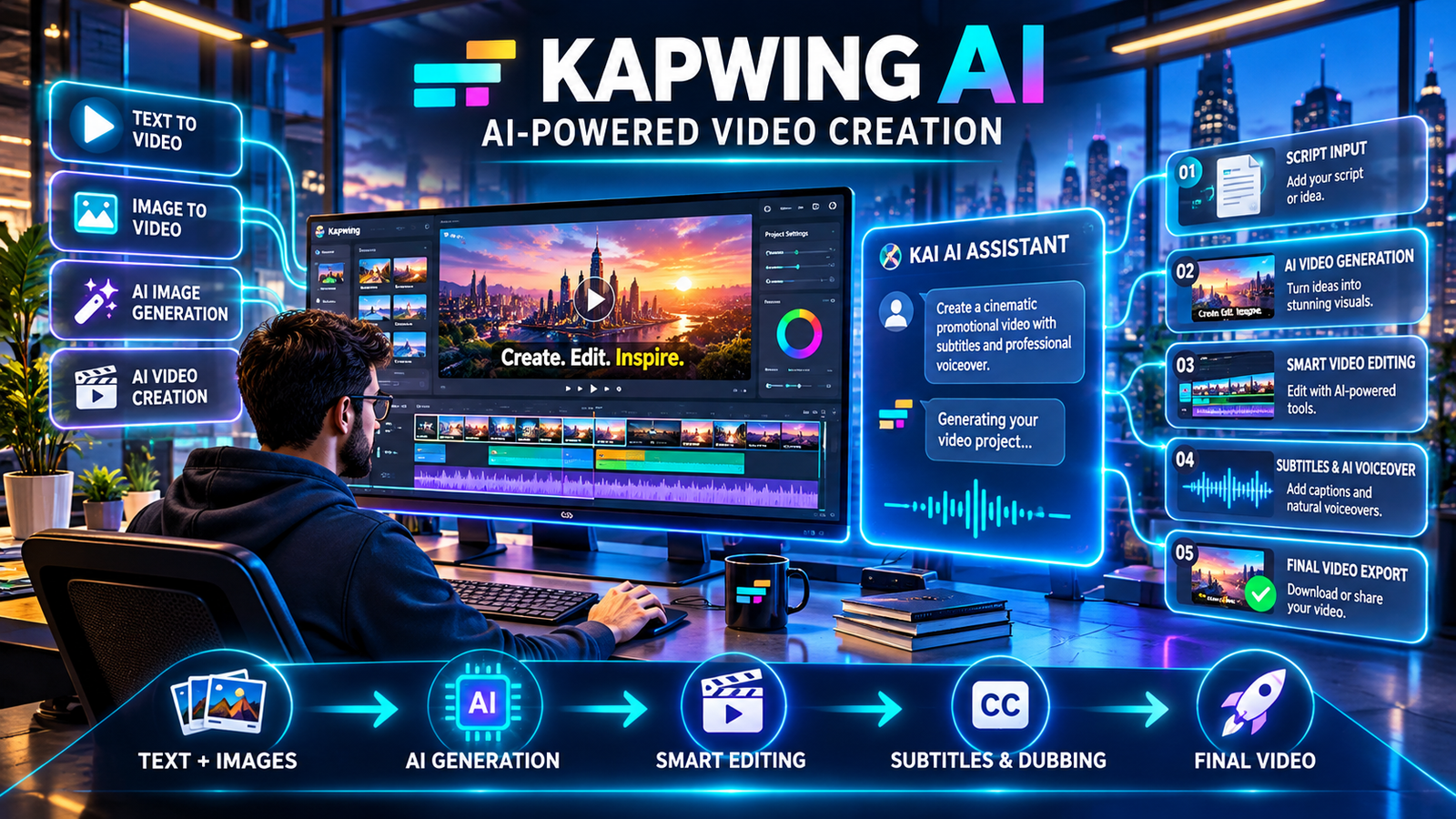
Kapwing AI is an AI-powered online video creation and editing platform that helps users generate videos, edit existing content, create subtitles, translate speech, and produce social media assets. Its conversational assistant, Kai, makes creative workflows easier by turning written instructions and uploaded media into editable projects.
Kapwing AI at a Glance
- Platform: Browser-based AI video creation and editing software.
- Main technology: Generative AI, automated editing, speech recognition, and AI-assisted media processing.
- AI assistant: Kai, a conversational creative assistant.
- Key features: Text-to-video, image-to-video, automatic subtitles, dubbing, voiceovers, and video editing.
- Free plan: Available with limited credits, watermarked exports, and 720p resolution.
- Best suited for: Content creators, marketers, social media teams, and businesses producing video content.
What Is Kapwing AI?
Kapwing AI is a collection of artificial intelligence tools integrated into Kapwing’s online video editor.
It helps users create, edit, enhance, and repurpose multimedia content without installing traditional desktop editing software.
Unlike standalone AI video generators, Kapwing combines generative tools with a conventional editing environment. This allows users to generate content and refine it within the same workspace.
The platform supports several creative workflows, including:
- Generating videos from text prompts.
- Converting images into animated video clips.
- Transforming scripts and articles into video projects.
- Creating automatic subtitles and transcripts.
- Translating subtitles and producing dubbed videos.
- Removing background noise and unwanted silence.
- Resizing videos for different social platforms.
- Creating images, voiceovers, and other visual assets.
One important distinction is that Kapwing AI is not a single AI model. It is a broader creative platform that combines multiple AI-powered capabilities.
Kapwing also promotes access to several third-party generative models. Its AI generation experience can therefore differ depending on the selected tool, model, and subscription. For Creators & Teams+1
How Does Kapwing AI Work?
Kapwing AI simplifies video production by combining natural-language instructions with automated media processing.
Users can describe their creative requirements instead of manually performing every editing operation.
Its conversational assistant, Kai, provides an additional way to interact with the platform.
1. Describe Your Creative Idea
Start by opening Kapwing AI and explaining what you want to create.
For example, you might enter:
“Create a 45-second promotional video for a new AI productivity application. Use modern visuals, energetic background music, subtitles, and a professional voiceover.”
You can also specify:
- Video duration.
- Aspect ratio.
- Target social media platform.
- Visual style.
- Voiceover requirements.
- Brand colors and messaging.
More specific instructions generally provide a better starting point.
2. Upload Supporting Media
Kapwing allows users to attach relevant source materials.
These can include:
- Existing video recordings.
- Product photographs.
- Audio recordings.
- Logos and brand assets.
- Documents and written scripts.
Kai can use supported uploaded content to help produce or modify a project.
3. Generate or Edit Content
The AI assistant interprets the request and performs supported creative operations.
Depending on the workflow, it can generate media, combine existing assets, create an editable project, or suggest further modifications.
Not every Studio feature is directly available through conversational commands. Some advanced operations still require opening the project in Kapwing Studio. kapwing.com
4. Review the Generated Project
AI-generated content should always receive human review.
Check the following:
- Visual consistency.
- Text accuracy.
- Subtitle synchronization.
- Voice pronunciation.
- Scene transitions.
- Brand alignment.
- Audio quality.
5. Export and Publish
Once the project is ready, export it in a suitable format.
Depending on the subscription, users can access different export resolutions, video lengths, and monthly usage allowances.
Key Features of Kapwing AI
Kapwing’s biggest advantage is its collection of AI tools inside a single editing environment.
Instead of switching between multiple applications, creators can perform several production tasks in one browser-based workspace.
1. AI Video Generator
Kapwing’s AI video generator converts written prompts and visual references into video content.
Users can describe a scene, specify the desired visual direction, and generate footage for their projects.
The platform also advertises more advanced generation capabilities, including:
- Start and end frames.
- Multi-scene generation.
- Motion control.
- Consistent characters.
- Image-to-video generation.
Kapwing lists models such as Veo, MiniMax, Seedance, and Kling among its supported generation options. Availability depends on the specific workflow and model access. For Creators & Teams+1
This feature is particularly useful for promotional content, creative experiments, and supplementary footage.
However, generated scenes may still require manual editing to achieve professional consistency.
2. Text-to-Video Generation
Text-to-video generation helps transform written ideas into visual projects.
Users can start with a short description, a complete script, or supported documents.
For example, a marketing professional could provide a product description and request a short explainer video.
The AI can help organize the content into scenes and combine relevant visual elements.
This reduces the amount of manual work involved in creating an initial video draft.
3. AI Image Generation and Editing
Kapwing also includes AI-powered image creation and editing capabilities.
Users can create visual assets for:
- YouTube thumbnails.
- Social media posts.
- Promotional graphics.
- Video backgrounds.
- Marketing campaigns.
- Presentation visuals.
Generated images can become part of a larger video project.
This makes the feature useful for creators who need both video and supporting graphics.
4. Automatic Subtitles and Transcription
Automatic subtitle generation is one of Kapwing’s practical features.
The platform uses speech recognition to identify spoken words and convert them into text.
Users can then customize the appearance of captions.
Available editing options include:
- Font selection.
- Text colors.
- Caption positioning.
- Animated subtitles.
- Timing adjustments.
- Subtitle file exports.
Automatic transcription is especially useful for YouTube videos, interviews, tutorials, and short-form social content.
Nevertheless, automated transcription can misunderstand names, technical terminology, accents, or unclear speech. Human proofreading remains important.
5. AI Translation and Dubbing
Kapwing helps creators adapt videos for international audiences.
Its translation workflows support translated subtitles, voiceovers, and dubbing-related features.
The platform advertises support for more than 100 languages across its translation and localization capabilities. Individual tools may have different language availability. Free. Online. Fast.+1
This can help businesses produce localized marketing materials without rebuilding every video from scratch.
However, translated content should be reviewed for cultural context, pronunciation, and meaning.
6. AI Voiceovers and Text-to-Speech
The text-to-speech feature converts written scripts into spoken audio.
It can support:
- Explainer videos.
- Product demonstrations.
- Educational content.
- Social media narration.
- Marketing presentations.
Creators can use generated speech instead of recording every narration manually.
The result should still be evaluated for natural pronunciation, pacing, and emotional delivery.
7. Smart Video Editing
Kapwing also offers AI-assisted editing tools that reduce repetitive production work.
Examples include:
- Smart Cut for removing silence.
- Find Scenes for identifying scene changes.
- Clean Audio for improving audio quality.
- Video stabilization.
- Background removal.
- Automatic audio leveling.
- Video resizing.
These capabilities are particularly useful when preparing existing footage for multiple platforms.
8. Kai: Conversational AI Creative Assistant
Kai is an important part of Kapwing’s evolving AI experience.
Instead of navigating every editing feature individually, users can describe their desired result in natural language.
For example:
- Turn this article into a two-minute explainer video.
- Add Spanish subtitles to this recording.
- Find the strongest moments in this video.
- Create a vertical version for Instagram Reels.
- Combine these uploaded clips into one video.
Kai can generate media, work with uploaded content, and perform supported editing tasks.
Users can continue the conversation to request modifications. For detailed timeline adjustments, text styling, and layer management, they can move into Kapwing Studio. kapwing.com
This distinction matters: Kai simplifies creative instructions, while Studio provides more direct editing control.
Practical Use Cases of Kapwing AI
Kapwing AI is most useful when video production involves repeated editing, content repurposing, or multiple publishing formats.
Here are some realistic applications.
1. YouTube Content Creation
YouTubers can use Kapwing to prepare supporting footage, generate subtitles, create thumbnails, and edit recorded videos.
A creator producing educational videos could use AI to:
- Convert a written script into an initial video draft.
- Generate supporting visual scenes.
- Add narration and subtitles.
- Remove unnecessary pauses.
- Create a thumbnail.
- Export the final video.
The creator still needs to review the storyline, facts, and visual quality.
2. TikTok, Instagram Reels, and YouTube Shorts
Short-form creators frequently need multiple versions of the same content.
Kapwing’s resizing and clip-generation workflows can help transform longer recordings into shorter social media videos.
Its automatic speaker-centering and safe-zone previews can also help creators prepare platform-friendly layouts. Free. AI-Powered. No-Downloads.
3. Marketing and Advertising
Marketing teams can use Kapwing to produce promotional videos, product demonstrations, and advertising creatives.
For example, an ecommerce business could combine product photographs, generated scenes, text overlays, and voiceovers into a promotional video.
This is useful for testing different creative approaches without manually rebuilding every element.
4. Educational Videos and Online Courses
Teachers, trainers, and educational creators can use automatic transcription, subtitles, and AI-assisted video production.
They can also translate captions to make educational material more accessible to international audiences.
However, educational content requires careful fact-checking and accurate terminology.
5. Business Communication
Businesses can use Kapwing for:
- Internal training videos.
- Employee onboarding.
- Product tutorials.
- Customer support videos.
- Company announcements.
- Presentation recordings.
Its browser-based workflow can make collaboration easier for teams working across different locations.
Kapwing AI Pricing: Is It Free?
Kapwing offers a free plan and several paid subscription options.
However, free access does not mean unlimited AI generation or unrestricted video exports.
The platform separates subscription benefits from credit-based AI usage.
Kapwing Pricing Comparison
The following figures reflect the published pricing information available during this review.
| Plan | Price | Credits | Important Features |
|---|---|---|---|
| Free | $0 | 10 lifetime | Watermarked exports, 720p |
| Pro | $16/month annually | 1,000/month | 4K exports, no watermark |
| Business | $50/month annually | 4,000/month | Higher usage allowances and team features |
| Enterprise | Custom | Custom | Enterprise-oriented configuration |
Important billing distinction: The published Pro price is $16 per member monthly when billed annually, or $24 when billed monthly. Business pricing and billing conditions should be checked on the official pricing page before purchasing. Kapwing+2
What Do Kapwing Credits Actually Cover?
This is one of the most important details to understand before subscribing.
Kapwing uses credits for several AI operations. Different tools consume different amounts.
According to its September 2026 credit documentation:
| AI Operation | Credit Consumption |
|---|---|
| Text-to-speech | 1 credit per 100 characters |
| Subtitle transcription | 1 credit per minute |
| Subtitle translation | 2 credits per minute |
| Repurpose Studio | 2 credits per minute |
| Lip sync | 30 credits per minute |
| Dubbing | 10 credits per 30 seconds |
| Clean Audio | 2 credits per minute |
| Voice enhancement | 4 credits per minute |
These are published examples, not a guarantee that every workflow has the same cost. Some tools have minimum one-credit charges. kapwing.com+1
Generative video, image, and audio features can have separate credit requirements.
For example, Kai video generation can consume between 13 and 60 credits per 60 seconds, depending on the model and quality.
Is the Free Plan Worth Trying?
Yes, particularly if you want to evaluate the interface before paying.
The free plan provides:
- 10 lifetime AI credits.
- Watermarked exports.
- Up to 4-minute export length.
- 720p export resolution.
- Limited access to selected AI tools.
It is suitable for experimenting and evaluating basic workflows.
However, the lifetime credit allowance makes it unsuitable for regular AI-intensive production.
What Does the Pro Plan Add?
The Pro subscription is more appropriate for individual creators and small production teams.
Its published benefits include:
- 1,000 monthly credits.
- Watermark-free exports.
- 4K resolution.
- Up to 120-minute exports.
- Uploads up to 6 GB.
- Brand Kit and custom fonts.
- Higher AI processing allowances.
Some limits are tool-specific, so an unlimited export allowance does not mean unlimited AI generation. Kapwing+1
My recommendation: Test the free version with your actual workflow before subscribing. Estimate monthly credit consumption using the official credit breakdown rather than relying only on the advertised subscription price.
Advantages of Kapwing AI
Kapwing combines several useful production capabilities in one browser-based environment.
Its main advantages include:
- No desktop installation: Users can access the editor through a supported web browser.
- Conversational editing: Kai allows users to describe supported creative tasks in natural language.
- Multiple AI workflows: Video generation, subtitles, translation, and audio tools are available within one platform.
- Content repurposing: Existing recordings can be adapted for different social media formats.
- Team collaboration: Shared workspaces and brand-related features support collaborative production.
- Flexible editing: Users can move from AI-generated drafts into a more traditional editing interface.
- Multilingual content: Translation and dubbing features support international publishing workflows.
These advantages make Kapwing particularly interesting for creators who regularly produce different types of digital media.
Limitations and Disadvantages of Kapwing AI
Despite its capabilities, Kapwing is not a perfect solution.
There are several considerations worth understanding before committing to a subscription.
1. AI Credits Can Run Out Quickly
AI-intensive tasks can consume credits faster than expected.
Video generation, dubbing, and lip-sync operations can be particularly expensive in credit terms.
Creators producing content frequently should estimate usage before choosing a plan.
2. Free Exports Include Restrictions
The free plan has a watermark, a 720p resolution limit, and a limited export duration.
These restrictions can become problematic for professional publishing.
3. Generated Content Requires Editing
AI-generated videos do not automatically guarantee professional storytelling.
Creators may still need to correct:
- Visual inconsistencies.
- Incorrect text.
- Awkward transitions.
- Unnatural voiceovers.
- Poor scene selection.
- Inaccurate subtitles.
Human editing remains an important part of the workflow.
4. Browser-Based Editing Has Practical Requirements
Kapwing’s online approach is convenient, but it also depends on a reliable internet connection.
Large video uploads, complex projects, and media processing can require significant bandwidth and system resources.
Users working with very large production files should test their workflow before moving an entire production operation online.
5. Not Every Operation Is Conversational
Kai supports many creative instructions, but it does not replace every manual Studio operation.
Detailed timeline adjustments, layer positioning, and advanced styling may still require direct editing.
6. Pricing Requires More Than a Monthly Comparison
The subscription fee is only part of the total cost.
You should also consider:
- Monthly AI credit consumption.
- The number of team members.
- Required export resolution.
- Video duration.
- Translation requirements.
- Additional generation costs, where applicable.
For high-volume production, the effective cost per finished video matters more than the advertised monthly price.
Kapwing AI Privacy and Security
Privacy is especially important when uploading client recordings, business presentations, interviews, or unpublished marketing material.
Kapwing publishes a Security and Data Privacy Center explaining its infrastructure and data-handling practices.
According to its documentation, the platform:
- Hosts data using Google Cloud Platform in US regions.
- Encrypts data in transit and at rest.
- Does not train its AI models on customer content or personal data.
- Uses third-party AI subprocessors for certain AI operations.
- Supports account and project deletion.
- States that deleted customer data is deleted after 30 days.
Kapwing also explains that certain AI features send the minimum necessary input to relevant subprocessors. It seeks contractual restrictions against using API-submitted customer data for model training where available. Kapwing
Important Privacy Considerations
There are several distinctions businesses should understand.
First, AI processing can involve third parties. Even when Kapwing does not train its own models on customer content, certain operations may involve external AI providers.
Second, data location matters. Kapwing identifies US-based hosting regions. Organizations with specific data residency requirements should evaluate this before uploading sensitive materials.
Third, deletion and retention are different concepts. The stated 30-day deletion period should be considered when evaluating project and account deletion.
Fourth, do not assume Zero Data Retention. Kapwing’s published statements about model training do not automatically establish that every AI subprocessor follows a zero-retention policy.
Businesses handling confidential information should review the current privacy policy, subprocessors, and applicable contractual terms.
Kapwing AI vs. Other AI Video Editing Tools
Kapwing competes with several established platforms.
However, these tools do not all solve exactly the same problem.
Some emphasize automated video production, while others focus on transcript editing, social media content, or professional creative workflows.
Competitor Comparison
| Platform | Target User | Key Strength | Pricing Transparency | Main Limitation |
|---|---|---|---|---|
| Kapwing | Creators and marketing teams | AI generation, editing, subtitles | Public pricing | Credit-based AI usage |
| VEED | Social media creators | Online editing and localization | Public plans | Some features require paid access |
| Descript | Podcasters and educators | Text-based video editing | Public plans | Different editing approach |
| CapCut | Short-form creators | Social video editing and effects | Plan and region dependent | Feature availability varies |
| Canva | Designers and marketers | Templates and visual content | Public plans | Not primarily a dedicated video production environment |
1. Kapwing vs. VEED
VEED is a close competitor because both platforms offer browser-based editing, AI subtitles, and video localization.
Kapwing is particularly interesting when users want conversational AI assistance alongside traditional editing.
VEED is worth evaluating when its editing and localization workflow better matches your production requirements.
2. Kapwing vs. Descript
Descript takes a different approach to editing.
Its transcript-based workflow allows users to edit audio and video by modifying the associated text.
This can be particularly useful for interviews, podcasts, and educational recordings.
Kapwing offers a broader collection of visual generation and social content tools.
3. Kapwing vs. CapCut
CapCut is strongly associated with short-form video production.
Its editing interface, effects, and social media-oriented workflows make it useful for TikTok, Reels, and Shorts creators.
Kapwing may be more attractive to users who want browser-based collaboration and a wider combination of AI generation, subtitles, and editing capabilities.
4. Kapwing vs. Canva
Canva combines graphic design, presentations, and video creation.
It is particularly useful for businesses that already manage their visual branding through Canva.
Kapwing focuses more directly on video production and AI-assisted editing.
Overall: The right alternative depends on whether you prioritize AI generation, transcript editing, social video effects, or broader design capabilities.
Who Should Use Kapwing AI?
Kapwing is most suitable for people who need to create and edit video content regularly.
| User Type | Suitability | Why |
|---|---|---|
| YouTubers | High | Subtitles, editing, thumbnails, and repurposing |
| Social media managers | High | Multiple formats and short-form content |
| Digital marketers | High | Promotional videos and advertising creatives |
| Small businesses | High | Product demonstrations and training videos |
| Educators | High | Tutorials, narration, and subtitles |
| Professional filmmakers | Moderate | Useful for supplementary editing, but not necessarily a complete replacement for advanced production software |
| Developers | Low | It is a creative application, not an AI development platform |
Who Should Consider an Alternative?
Consider another platform if you:
- Need extensive manual control over professional editing workflows.
- Produce large volumes of AI-generated footage.
- Require predictable costs without usage-based credits.
- Prefer desktop-based editing.
- Need specialized visual effects or advanced post-production tools.
Common Mistakes to Avoid When Using Kapwing AI
Even a capable AI editor can produce disappointing results when users approach it incorrectly.
Here are five mistakes worth avoiding.
- Writing vague prompts: Describe the audience, video duration, visual style, and intended result.
- Ignoring credit consumption: Check the credit requirements before generating multiple videos.
- Publishing without proofreading: Review subtitles, translations, narration, and on-screen text.
- Expecting complete automation: Use AI for repetitive production tasks, but retain control over creative decisions.
- Ignoring export settings: Select the correct aspect ratio and resolution before publishing.
These small improvements can make the production workflow more efficient.
How to Get Better Results from Kapwing AI
The quality of an AI-assisted video depends partly on the instructions and source materials provided.
A useful prompt should describe the finished video rather than simply asking the AI to make something attractive.
For example:
Weak prompt:
“Make a video about artificial intelligence.”
Improved prompt:
“Create a 60-second educational video explaining how artificial intelligence helps small businesses. Use a professional technology editorial style, modern office visuals, clear subtitles, an engaging voiceover, and a vertical 9:16 layout. Organize the video into five short scenes with a clear introduction and conclusion.”
The improved prompt provides:
- A specific subject.
- A defined audience.
- A duration.
- A visual direction.
- A format.
- A content structure.
You should also provide suitable source images, scripts, or brand assets when relevant.
Finally, review the generated project manually. AI should accelerate production, not eliminate editorial judgment.
Frequently Asked Questions
1. What is Kapwing AI used for?
Kapwing AI is used for generating videos, editing existing footage, creating subtitles, translating content, producing voiceovers, and preparing social media assets. Its Kai assistant also supports conversational creative workflows.
2. Is Kapwing AI free to use?
Yes. Kapwing offers a free plan with 10 lifetime AI credits, watermarked exports, and 720p resolution. Users who need higher-quality exports, additional credits, and advanced features can purchase a paid subscription.
3. Does Kapwing AI generate videos from text?
Yes. Kapwing supports text-to-video generation, allowing users to turn written prompts, scripts, and supported documents into video projects. Available generation capabilities depend on the selected workflow and model.
4. Is Kapwing AI suitable for professional video editing?
Kapwing can support professional content workflows, particularly for social media, marketing, and educational videos. However, complex productions may require more advanced editing software and additional manual work.
5. Is Kapwing AI safe for uploading business videos?
Kapwing documents encryption, AI data-handling practices, and customer data deletion options. However, certain AI workflows use third-party subprocessors. Businesses should review its privacy documentation and contractual requirements before uploading confidential material.
Conclusion
Kapwing AI brings video generation, automated editing, subtitles, translation, voiceovers, and conversational assistance into one online creative environment.
Its biggest advantage is the combination of AI-powered workflows and an editable video studio.
For YouTubers, marketers, educators, and social media creators, it can reduce repetitive production work and simplify content repurposing.
However, credit consumption, free-plan restrictions, internet dependency, and the need for human review are important considerations.
The smartest approach is to test the free plan using a real project, calculate expected monthly credit usage, and compare the paid subscription with alternatives such as VEED and Descript.
Ultimately, Kapwing AI is worth considering when its combination of generation, editing, and collaboration features matches your actual production requirements.

Alex Carter is a technology writer at AI SpaceZ.com, who covers AI tools, software reviews, practical tutorials and emerging artificial intelligence trends. He aims to make AI easier to understand and help readers discover useful tools and technologies for everyday productivity.