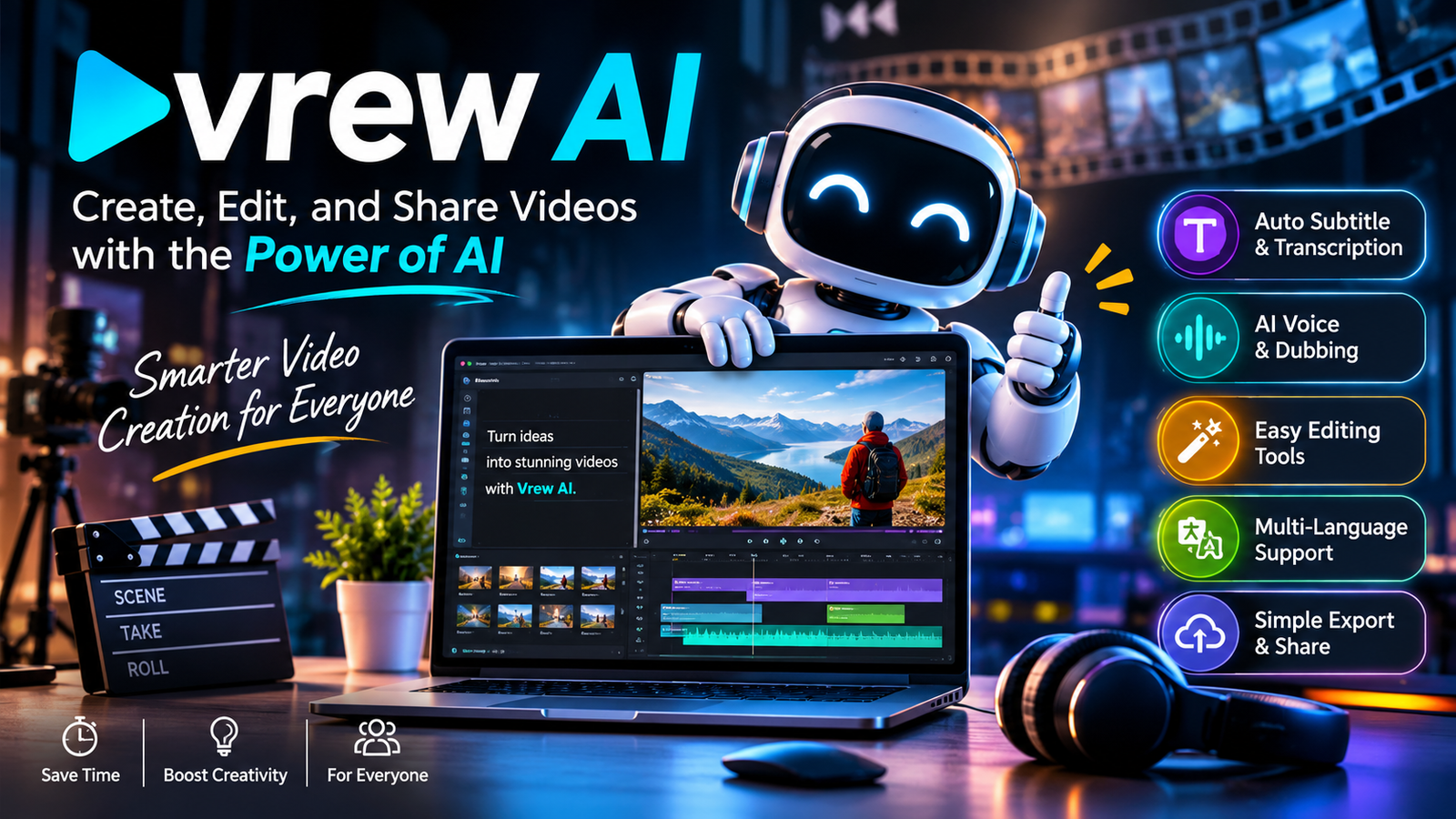
Vrew AI is an AI-powered video editing application developed by VoyagerX that lets users edit video through automatically generated transcripts, create subtitles, remove silence, and generate AI-powered voiceovers and visual content. It is particularly useful for creators producing educational videos, YouTube content, tutorials, and marketing material who want to reduce repetitive editing work without relying entirely on a traditional timeline editor.
Vrew AI at a Glance
| Category | Details |
|---|---|
| Product | AI-powered video editor |
| Developer | VoyagerX, Inc. |
| Main capability | Text-based video editing |
| Key features | Automatic subtitles, silence removal, AI voices, video generation |
| Operating systems | Windows, macOS, Linux |
| Free plan | Yes, with monthly credits |
| Paid plans | Light, Standard, Business |
| Best suited for | Creators, educators, marketers |
| Official website | vrew.ai |
Vrew is more than an automatic subtitle generator. Its central idea is to make video editing feel similar to editing a text document. All-in-One AI Video Editor+1
What Is Vrew AI?
Vrew AI is a video editing application developed by South Korean technology company VoyagerX.
Its defining feature is text-based video editing. Instead of manually searching through a timeline, users can edit automatically transcribed words to change the corresponding video.
For example, imagine recording a 20-minute tutorial. You notice several mistakes, long pauses, and repeated sentences.
Traditional editing often requires finding each section manually. Vrew generates a transcript, allowing you to locate and remove unwanted sections through text.
The software also combines several AI-assisted production tools:
- Automatic speech recognition and subtitles.
- Text-based video editing.
- Automatic silence removal.
- AI-generated voiceovers.
- Voice cloning.
- Subtitle translation.
- AI-generated images and video clips.
- AI-assisted scripts and video creation.
Vrew is available for Windows, macOS, and Linux. Its official website currently lists version 4.7.2. All-in-One AI Video Editor+1
Who Developed Vrew?
VoyagerX develops and maintains Vrew. The company focuses on applying artificial intelligence to practical software products.
Vrew is designed around a relatively straightforward idea: make repetitive video editing tasks easier through speech recognition, text processing, and generative AI.
It is important to understand that Vrew is not simply an AI model. It is an application that combines multiple AI services and editing capabilities into one workflow.
How Does Vrew AI Work?
Vrew uses speech recognition and video-editing technology to connect spoken words with their corresponding video segments.
Its workflow generally follows five stages.
Vrew, AI video editing tool that is easy and fast, much like document editing | Vrew
動画の自動字幕生成、AIで簡単にすばやく | AI動画編集プログラム ブル vrew
Vrew(브루) – AI 자막 생성 및 목소리 더빙 영상 편집기
7
1. Import Your Video or Audio
Start by opening Vrew and importing a supported media file.
The application analyzes the audio and prepares it for transcription. This creates the foundation for text-based editing.
2. Generate an Automatic Transcript
Vrew converts spoken dialogue into written text using automatic speech recognition (ASR).
ASR is a technology that identifies spoken words and converts them into machine-readable text.
The resulting transcript is divided into editable sections. Users can review the generated captions and correct recognition mistakes.
Vrew also supports importing an existing transcript to improve recognition of specialized terminology. Fast & Accurate Subtitle Generator
3. Edit Video Through Text
This is where Vrew becomes particularly interesting.
Users can select unwanted sentences or words and remove their corresponding video sections.
For example, deleting a repeated sentence from the transcript can remove that section from the video.
This approach can simplify:
- Removing mistakes.
- Cutting unnecessary dialogue.
- Shortening interviews.
- Removing repetitive statements.
- Cleaning up recorded tutorials.
4. Apply AI-Powered Enhancements
After editing the footage, users can improve the production with additional features.
These include automatic silence removal, subtitles, voice generation, translation, and visual generation.
Some features consume credits, so the available allowance depends on the subscription plan.
5. Review and Export
The final stage involves checking the video, reviewing subtitle timing, adjusting visual elements, and exporting the finished project.
Human review remains important. Automatic transcription and AI-generated content can contain mistakes that require correction.
Key Vrew AI Features Explained
Vrew combines conventional editing tools with AI-assisted production capabilities. However, some features are more useful than others, depending on the type of content being created.
1. Text-Based Video Editing
Vrew, AI video editing tool that is easy and fast, much like document editing | Vrew
Text-based editing is Vrew’s defining feature.
The software converts spoken dialogue into editable text. Removing a sentence can remove the corresponding footage without manually locating its position on a traditional timeline.
This is particularly useful for interviews, podcasts, lectures, and talking-head videos.
It also makes editing more approachable for beginners who find conventional editing interfaces complicated.
2. Automatic Subtitle Generation
Vrew automatically generates captions from uploaded audio or video.
Users can review the transcription, correct individual words, and adjust subtitle presentation.
This feature can help creators make videos more accessible and easier to understand.
It is especially valuable for:
- YouTube educational videos.
- Online courses.
- Interviews.
- Social media clips.
- Business presentations.
However, automatic captions are not guaranteed to be perfect. Background noise, accents, overlapping speakers, and technical terminology can affect recognition quality.
3. AI Voice Generation and Cloning
Vrew includes AI-powered text-to-speech capabilities.
Users can turn written scripts into spoken narration without recording every sentence themselves.
The speech editor also allows users to correct mistakes by changing the text while regenerating the audio with the original voice.
Vrew additionally offers voice cloning. Its current free plan includes one voice clone, while paid allowances vary by subscription. All-in-One AI Video Editor+1
These capabilities can support:
- Narrated tutorials.
- Explainer videos.
- Educational presentations.
- Product demonstrations.
- Faceless YouTube content.
Voice cloning requires particular care. Users should obtain appropriate permission before cloning or reproducing another person’s voice.
4. Automatic Silence Removal
Long recordings frequently contain unnecessary pauses.
Vrew can identify silent sections and remove them automatically.
This reduces repetitive editing work in interviews, lectures, podcasts, and recorded presentations.
However, removing every pause is not always desirable. Natural pauses can improve pacing and make narration easier to follow.
5. AI Subtitle Translation
Vrew supports AI-assisted subtitle translation into more than 100 languages, according to its official feature page.
It also offers different translation engines, including an option described as GPT translation and integration with Google Translate. Translate Video Subtitles to 100+ Languages
This can help creators prepare multilingual versions of their content.
However, translation quality should be checked before publication. Idioms, technical expressions, cultural references, and names can produce inaccurate translations.
6. AI Image and Video Generation
Vrew has expanded beyond conventional video editing.
Its newer capabilities include AI image generation, image-to-image generation, and image-to-video creation.
The Vrew 4.0.0 release also introduced an English voice-cloning feature and additional generative capabilities. docs.channel.io
These tools can help creators produce supporting visuals without switching between several applications.
However, generated images and video clips should be treated as creative assets requiring review, rather than guaranteed production-ready footage.
7. Vrew Agent
Vrew Agent extends the application beyond individual editing commands.
According to its official launch documentation, the agent interprets user requests, selects appropriate tools, and performs editing tasks.
For example, users can describe an editing requirement instead of manually executing every step.
Its credit consumption depends on the complexity of the request, media length, and generated output. Even simple requests consume credits. docs.channel.io
This is useful for reducing repetitive operations, although users should review its results before exporting.
What Can You Create With Vrew AI?
Vrew is most useful when the content depends heavily on narration, dialogue, or educational information.
Here are several practical applications.
YouTube Videos
Creators can import recorded footage, generate captions, remove mistakes, and prepare narrated content.
This can simplify the production of educational videos, tutorials, reviews, and commentary.
Faceless YouTube Videos
Vrew can combine written scripts, AI narration, subtitles, and supporting visuals.
This makes it relevant to creators who prefer producing videos without appearing on camera.
However, AI-generated narration and visuals still require thoughtful scripting and editing to avoid repetitive content.
Educational Content
Teachers and course creators can turn recorded lessons into captioned educational videos.
Subtitle translation can also help prepare material for audiences who speak different languages.
Marketing and Business Videos
Marketing teams can use Vrew to create product explanations, promotional videos, internal presentations, and screen-recording demonstrations.
Its text-based editing workflow can make routine revisions easier.
Interviews and Podcasts
Long recordings often contain pauses, repeated statements, and unnecessary sections.
Vrew can help editors locate these sections through transcripts rather than repeatedly searching the entire recording.
Vrew AI Pricing: Is the Free Plan Enough?
Vrew offers a free plan and three paid subscriptions: Light, Standard, and Business.
Its pricing model deserves attention because Vrew uses a unified credit system. AI transcription, voice generation, translation, and other generative features draw from the available allowance.
The following prices reflect the published US pricing available on November 9, 2026.
Current Vrew AI Pricing
| Plan | Monthly price | Annual price | Monthly credits |
|---|---|---|---|
| Free | $0 | $0 | 200 |
| Light | $13.99 | $133.99 | 2,000 |
| Standard | $22.99 | $219.99 | 10,000 |
| Business | $35.99 | $344.99 | 12,000 |
Annual subscriptions reduce the effective monthly cost. For example, the Standard annual subscription works out to approximately $18.33 per month.
These are published US prices. Regional taxes, currency conversion, and checkout terms may affect the amount paid elsewhere. All-in-One AI Video Editor+1
What Does the Free Plan Include?
The free plan provides 200 monthly credits.
Vrew’s published feature allowances include:
- Up to 200 minutes of transcription.
- Up to 20,000 AI voice characters.
- Up to 60,000 translated characters.
- Up to 200 AI-generated images.
- Up to 20 AI-generated videos.
- Up to three AI characters.
- One voice clone.
These are feature-specific usage equivalents, not separate allowances that can all be consumed independently. The unified credit pool governs actual usage. All-in-One AI Video Editor+1
For beginners, 200 monthly credits provide an opportunity to test the software before purchasing a subscription.
How Does Vrew’s Credit System Work?
Vrew introduced a unified credit system to simplify how users consume AI features.
Its published conversion examples include:
| AI activity | Credit consumption |
|---|---|
| Transcription | 1 credit per minute |
| AI voice | 1 credit per 100 characters |
| Translation | 1 credit per 300 characters |
Image and video generation have their own usage calculations. Their exact costs depend on the generation options.
A particularly important limitation is that unused subscription credits do not roll over.
Free users receive refreshed credits on the first day of each month. Paid subscribers receive their allowance on their billing date. docs.channel.io
This means occasional users should estimate their monthly consumption before upgrading.
Important Pricing Changes Starting December 1, 2026
Vrew has announced a new pricing structure scheduled to begin on December 1, 2026.
This is particularly important because the new plans introduce more credit allowances.
| Upcoming plan | Monthly credits | Monthly price |
|---|---|---|
| Light 2K | 2,000 | $14.99 |
| Standard 5K | 5,000 | $21.99 |
| Standard 10K | 10,000 | $34.99 |
| Standard 20K | 20,000 | $65.99 |
| Standard 50K | 50,000 | $161.99 |
| Standard 100K | 100,000 | $313.99 |
| Business 10K | 10,000 | $38.99 |
| Business 20K | 20,000 | $72.99 |
| Business 50K | 50,000 | $178.99 |
| Business 100K | 100,000 | $345.99 |
The company has also announced additional credits priced at $5.50 per 1,000 credits, available from December 1.
These additional credits will remain valid for one year. They can only be used while the account has a paid subscription.
Existing subscribers who retain their current plans will keep their existing prices and credit allowances unless they switch plans. docs.channel.io
Editorial recommendation: Do not confuse the announced December pricing with the prices currently available on November 9. Check the official Vrew pricing page before subscribing.
Vrew AI Privacy and Security: What Happens to Uploaded Content?
Privacy is an important consideration when uploading interviews, client recordings, business presentations, or unpublished videos.
Vrew publishes information about its security controls, data handling practices, and third-party AI providers.
Does Vrew Use Uploaded Content to Train AI?
Vrew states that it does not use users’ creative content to train its AI models.
Its data protection page also identifies ISO/IEC 27001:2022 and ISO/IEC 27701:2019 certifications, with SGS identified as the certifying organization. Vrew
These are relevant security and privacy-management standards. However, certification should not be confused with a guarantee that no data is retained or processed by external providers.
How Long Does Vrew Retain User Data?
Vrew’s published privacy policy identifies several different retention periods.
| Data category | Published retention period |
|---|---|
| Speech-analysis audio | 24 hours after transcription and subtitle creation |
| AI My Voice data | One week after upload |
| Vrew Agent prompts and work history | One year from termination of the service agreement |
| Cloud project files | 120 days after termination of the service agreement |
The policy also states that users can request immediate deletion of cloud project data through in-service support. Vrew
Does Vrew Share Data With Third-Party Providers?
Yes. Its privacy policy identifies external providers used for different functions.
These include:
- Google and AWS for speech analysis and infrastructure.
- XL8 for subtitle translation.
- OpenAI for text generation, summarization, and image generation.
- Stability AI, BytePlus, and Replicate for image generation.
- Anthropic for Vrew Agent text analysis.
The policy also describes overseas processing and transfers associated with these services. Vrew
This distinction matters.
Vrew’s no-training commitment does not mean that processing happens entirely on your computer. Some features rely on external cloud services and AI providers.
Our assessment: Vrew publishes meaningful privacy information, but businesses handling confidential recordings should examine the privacy policy, applicable data-processing terms, and retention requirements before uploading sensitive material.
Do not assume that ISO certification automatically means Zero Data Retention (ZDR). Vrew’s published policy explicitly describes certain retention periods.
Vrew AI Advantages and Disadvantages
Every editing application involves trade-offs. Vrew is no exception.
Advantages
1. Beginner-friendly editing
The document-like editing interface reduces the complexity of removing unwanted dialogue.
2. Automatic subtitles
Creators can generate captions without manually typing every spoken sentence.
3. Multiple AI capabilities
Transcription, voice generation, translation, and visual generation are available within one application.
4. Cross-platform desktop support
Vrew supports Windows, macOS, and Linux.
5. Free entry point
The free plan allows users to test important editing and AI features before subscribing.
6. Useful for repetitive production
Silence removal and transcript-based editing can reduce repetitive work.
Disadvantages
1. Credit limitations
The unified credit system means frequent AI generation can consume allowances quickly.
2. Transcription requires review
Accents, technical vocabulary, background noise, and overlapping conversations can affect recognition quality.
3. Not a complete replacement for professional editing
Complex visual effects, advanced color grading, and detailed cinematic workflows may require dedicated editing software.
4. Cloud processing considerations
Some AI capabilities rely on external providers, which matters when handling confidential content.
5. Subscription planning
The differences between monthly and annual billing, unused credits, and upcoming plan changes require attention.
6. Human editing remains necessary
AI-generated captions, translations, and narration should be reviewed before publication.
Vrew AI vs Competitors: Which Tool Should You Choose?
Vrew operates in a competitive market that includes text-based editors, traditional video editing applications, and browser-based AI platforms.
The closest alternatives depend on what you want to accomplish.
How to Edit Video in a Text Editor With Descript (From Auto Transcripts) | Envato Tuts+
How to Add Lyrics to Video Automatically [Ultimate Guide]
Best 3 Auto Subtitle Generators to Add Captions Easily
4
Vrew vs Descript
Descript is one of the closest alternatives.
Both applications support transcript-based editing, automatic transcription, and AI-assisted production.
However, Descript places additional emphasis on podcast production, audio enhancement, speaker detection, and collaborative workflows.
Its official pricing page lists Hobbyist at $16 per person monthly when billed annually, or $24 monthly. The Creator plan is listed at $24 annually billed per month, or $35 on monthly billing. descript.com
Choose Vrew if you prefer its editing workflow and integrated AI generation tools.
Choose Descript if transcript-based podcast production and audio-focused editing are your priorities.
Vrew vs CapCut
CapCut focuses heavily on social video production.
It offers timeline editing, templates, automatic captions, visual effects, and AI-assisted creation.
CapCut’s official pricing page lists a free plan and a Pro subscription displayed at $19.99 monthly, although actual prices can vary by region and account. Choose the Right Plan+1
Choose Vrew for transcript-driven editing and narration-heavy production.
Choose CapCut for short-form social content, templates, and a more conventional visual editing workflow.
Vrew vs VEED
VEED is a browser-based editing platform with automatic subtitles, translation, and other AI-assisted tools.
Its pricing documentation explains that paid plans include subtitle generation subject to a 50-hour monthly fair-use limit. Translation allowances are calculated separately, and unused translation minutes do not roll over. VEED.IO+1
Choose Vrew if you prefer a desktop application with text-based editing.
Choose VEED if browser-based editing and online collaboration are more important.
Competitor Comparison
| Platform | Target user | Key strength | Pricing transparency | Main limitation |
|---|---|---|---|---|
| Vrew | Educators and creators | Text-based editing | Published credit-based plans | Monthly credit restrictions |
| Descript | Podcasters and creators | Transcript and audio editing | Public tier pricing | Media-hour and AI-credit limits |
| CapCut | Social media creators | Templates and visual editing | Regional pricing varies | Subscription availability and feature differences |
| VEED | Marketing teams | Browser-based editing | Published plans and usage rules | Fair-use and translation limits |
There is no universal winner. The right application depends on whether you prioritize transcript editing, audio production, social media templates, or browser-based collaboration.
Who Should Use Vrew AI?
Vrew is particularly relevant to people who regularly produce content containing spoken dialogue.
Here is how different audiences may benefit.
| User type | Potential value | Suitability |
|---|---|---|
| YouTube creators | Faster editing and captions | High |
| Faceless video creators | AI narration and visual generation | High |
| Teachers | Captioned lessons and translations | High |
| Podcasters | Transcript-based editing | High |
| Marketing teams | Promotional and explanatory videos | High |
| Professional filmmakers | Basic editing assistance | Moderate |
| Large production studios | Supplementary editing workflow | Depends on requirements |
Who Might Want an Alternative?
Vrew may not be the right choice if you primarily need:
- Advanced cinematic color grading.
- Complex motion graphics.
- Professional multi-camera production.
- Extensive visual compositing.
- Highly customized audio mixing.
- A fully offline AI processing environment.
For these requirements, applications such as DaVinci Resolve or Adobe Premiere Pro may be more appropriate.
Common Mistakes to Avoid When Using Vrew AI
Even a capable editing application cannot guarantee professional results without proper workflow management.
Here are some mistakes worth avoiding.
1. Publishing subtitles without checking them.
Automatic speech recognition can misinterpret words, especially names and technical expressions. Review captions before exporting.
2. Assuming every AI feature is unlimited.
Vrew uses monthly credits. Check the estimated consumption before generating large amounts of content.
3. Removing every silence.
Pauses can create natural pacing. Remove unnecessary gaps without making narration sound rushed.
4. Trusting AI translations completely.
Review translated subtitles for context, grammar, and cultural accuracy.
5. Ignoring privacy requirements.
Review third-party processing and data-retention policies before uploading confidential recordings.
6. Expecting AI to replace creative judgment.
Vrew can automate repetitive tasks, but storytelling, pacing, visual consistency, and editorial decisions still require human input.
Latest Vrew AI Developments in 2026
Vrew has continued expanding its capabilities beyond automatic transcription.
Three developments are particularly relevant.
Unified AI Credits
Vrew introduced a unified credit system that combines usage across transcription, voice generation, translation, and generative features.
This simplifies usage tracking but makes monthly credit management more important.
Vrew Agent
Vrew Agent moves the application toward instruction-based editing.
Instead of manually performing every operation, users can describe tasks and allow the agent to select relevant tools.
Credit consumption depends on the complexity of each request.
Expanded Generative AI Features
The Vrew 4.0.0 release introduced image-to-image generation, image-to-video generation, and English voice cloning.
These developments show that Vrew is evolving from a transcript-focused editor into a broader AI-assisted video production environment. docs.channel.io+1
Upcoming Subscription Changes
The December 1, 2026 pricing update will introduce additional subscription tiers and more flexible credit purchases.
This matters particularly for creators who regularly exceed the current monthly allowance. docs.channel.io
Frequently Asked Questions
1. Is Vrew AI free to use?
Yes. Vrew offers a free plan with 200 monthly credits. Users can access selected transcription, voice generation, translation, and other AI features within the available allowance.
2. Is Vrew AI good for YouTube videos?
Yes. Vrew can help YouTube creators generate subtitles, remove unwanted pauses, edit spoken content through transcripts, and create AI voiceovers. It is particularly suitable for educational videos, tutorials, interviews, and narration-heavy content.
3. Does Vrew AI support multiple languages?
Yes. Vrew supports multilingual subtitle translation into more than 100 languages, according to its official feature documentation. Translation quality should still be reviewed before publishing.
4. Is Vrew AI safe for uploading personal videos?
Vrew publishes security certifications and states that it does not use creative content to train AI models. However, its privacy policy identifies third-party processing and specific data-retention periods. Users handling confidential recordings should review these policies before uploading files.
5. What are the best alternatives to Vrew AI?
Popular alternatives include Descript, CapCut, and VEED. Descript is useful for transcript-based editing and podcasts, CapCut focuses on social media production, and VEED provides browser-based video editing.
Conclusion
Vrew AI is a practical video editing application that combines automatic transcription, text-based editing, subtitle generation, AI voiceovers, and generative tools.
Its biggest advantage is the ability to edit spoken content through text instead of searching through an entire video timeline.
For YouTube creators, educators, podcasters, and marketers, this workflow can reduce repetitive editing work.
However, its unified credit system, transcription accuracy, cloud processing, and subscription costs deserve careful consideration.
The best approach is to start with the free plan, test it using your actual footage, and measure how many credits your typical projects consume.
If its editing workflow matches your needs and the subscription fits your production budget, Vrew can become a useful part of your video creation process.